Every JobRouter user login event starts a session containing the user security information that identifies the user during the session. When a user signs out of JobRouter, the Sign out function terminates the session. The configuration tool Active Sessions shows all the currently active sessions, that is, which users are currently using the system.
Access it via Configuration Tools Monitoring and Maintenance | Active Sessions to display an overview of all signed in users similar to the following.
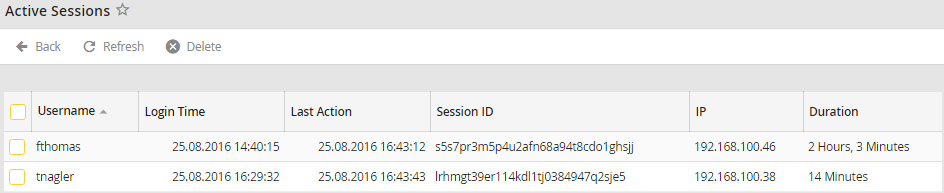
Active sessions
The list of active sessions shows usernames, login time, a unique session ID, the user's IP address and the duration of the session, that is, how long the user has been logged on to the system.
Click Refresh in the action bar to get a current view of the active sessions. You may delete any session (except your own) by checking the checkbox next to the username, then clicking Delete in the action bar. The user will be signed out and must sign in again to use JobRouter.
