On the Filter tab in the Edit Report dialog window you can define filters that the user may use to browse the report and/or target certain lines for viewing. The filter will be displayed to the user in the upper portion of the report.
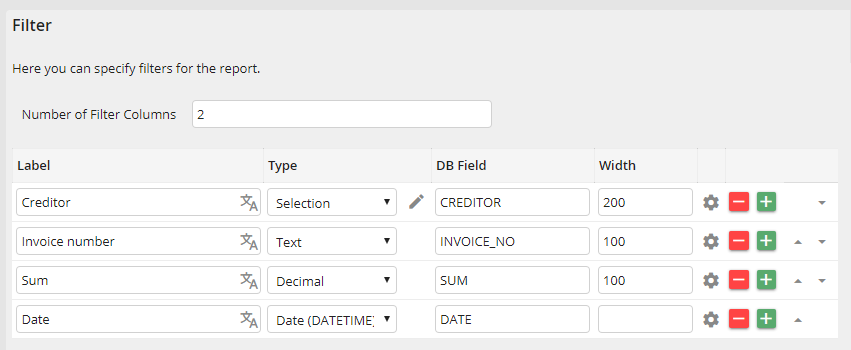
Establishing a filter
The Number of Filter Columns field lets you control how many filter fields will be arranged next to one another.
Enter a name for the displayed filter field into the Label column. The  icon next to the input field on the right allows you to enter translations (only with licensed JobMultilingual module).
Select the field type in the Type field. The possible configurations for field types are explained below.
The DB Field column specifies the database field to be filtered.
The Width is where you control the width of the filter field when displayed. If the filter fields are of the selection type, the width is in pixel. For other types the amount of characters is used for the width.
Example: A filter for the Report called Bill book in the reports navigation.
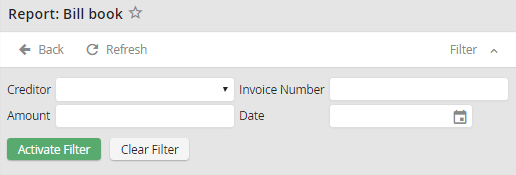
Filter for the report "Bill book"
