A new global configuration can be created by clicking New in the action bar. If you want to edit an already existing configuration, click on the corresponding name. In either case, the Edit Global Configuration window will be displayed.
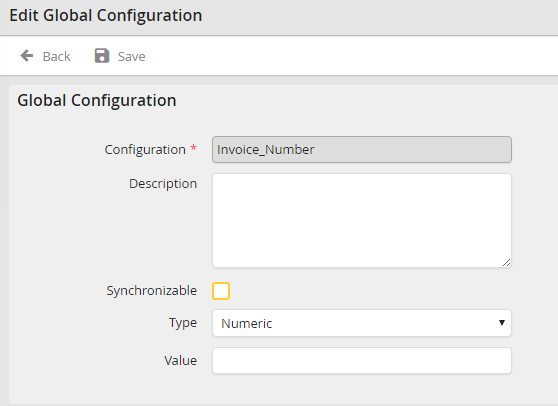
Adding/Editing a global configuration
You may configure the following settings.
Global Configuration |
Definition |
|---|---|
Configuration |
•Required field •Enter a name for your configuration.
Please note: Once the name is saved, you can no longer change it. |
Description |
An optional description of your configuration |
Synchronizable |
•Check the box to have the setting exported when you synchronize a test and a productive system (see chapter JobSync). •An unchecked box causes the configuration to be created in the target system, but your value will not be exported. |
Type |
Choose a data type. |
Value |
Assign a value to the configuration. |
Click Save to store your changes. You will be returned to the global configuration overview.
Please note: Both the type (date) and (decimal number) are in global format.
