The configuration tool Module Status is used to monitor the JobRouter service modules. By default, the modules of the services JobServer and JobActivity are displayed. If you have further JobRouter services installed, they will also be displayed in this list.
Click on Module Status in the overview of the configuration tools under Monitoring and Maintenance. The following list is shown:
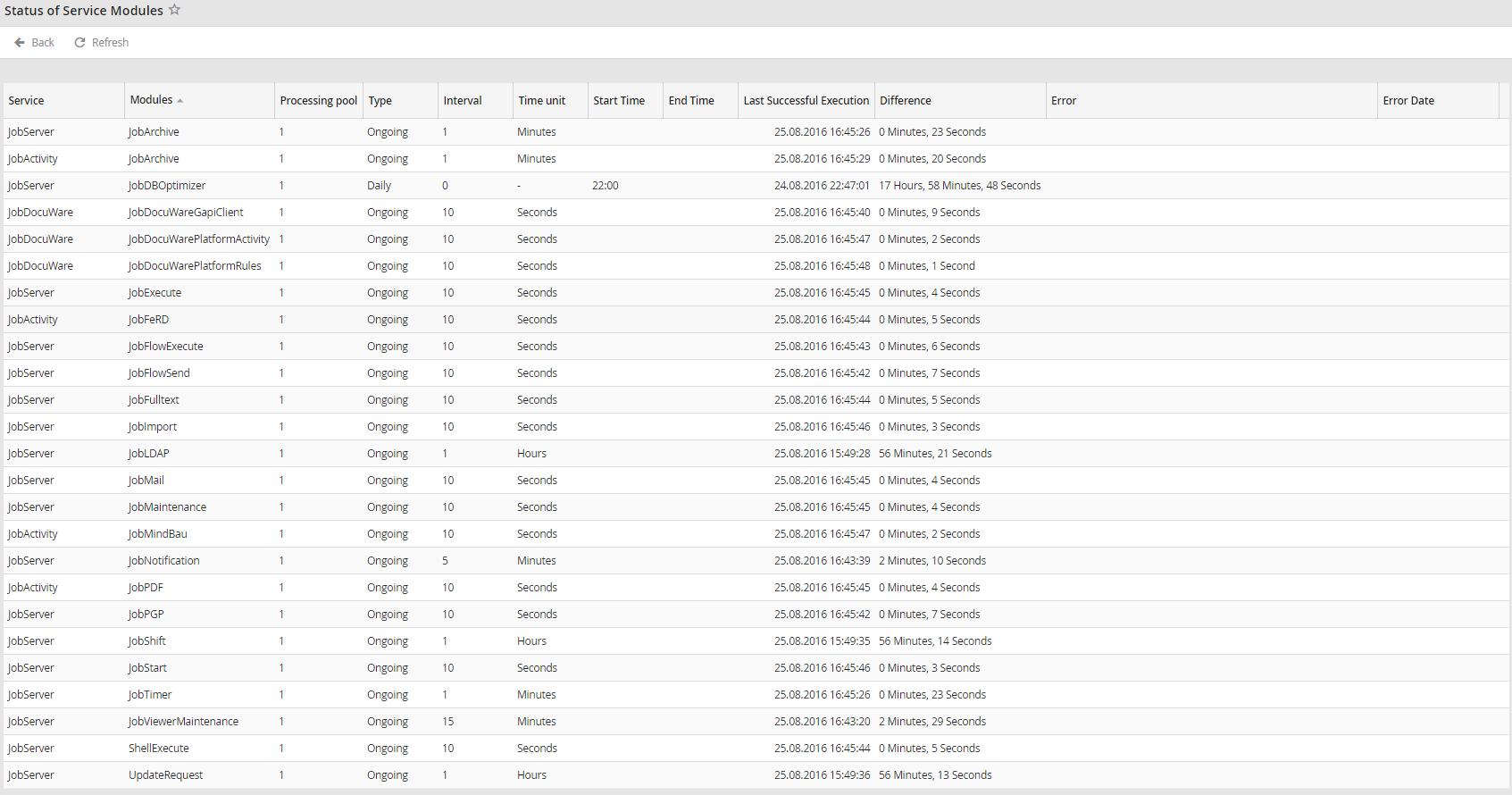
Module status
In the overview, the name of the service that is running the respective module is listed in the Service column. The Modules column shows the module that is being executed by the respective service. The Processing pool column displays the number of the pool the service module processes tasks for.
The Type column indicates if the module is continuously executed or executed once daily. For continuously executed modules, the Interval and Time unit columns display the execution interval of the module. The Start Time and End Time columns indicate the time window during which the module is executed in case of a continuously executed module. In case the module is executed once daily, the Start Time column indicates the time when the module is to be executed.
The last time the service module was executed successfully is listed in the Last Successful Execution column. The Difference column contains the time passed since the last execution.
If a service module produces an error, it will be returned in the Error column.
