The structural organization of your company can be modeled to some extent within JobRouter by defining a supervisor for each user. A process can determine this supervisor dynamically, Thus allowing an invoice to be sent to a user's supervisor if the amount exceeds a predefined limit.
Basically, there are two ways to set up the supervisor function in the JobRouter system (see the Installation Manual). Either the function is assigned to a user or to a Job Function
Job Functions as Supervisor
In this setup, you can establish a particular Job Function, like Financial Accounting Manager, as supervisor for each user. Several users can be assigned to this Job Function. This allows setting multiple supervisors for a user.
Please note: In order to be able to select a role as supervisor, the selection list Supervisor must first be set to Role in the JobRouter configuration under JobRouter Security->Security Settings->Rights.
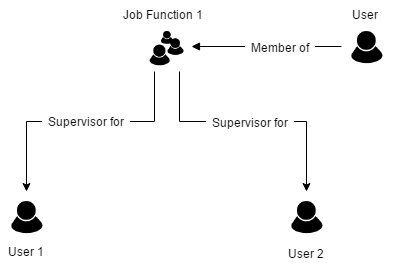
JobFunction as Supervisor
User as Supervisor
In this setup, you establish one user as supervisor for another user. When a supervisor changes, you need to make the corresponding change in the user settings.
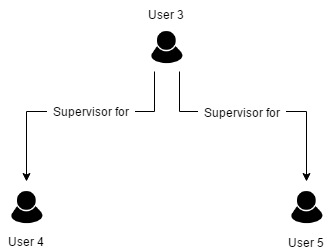
User as Supervisor
