For frequently used code snippets, own templates can be stored and used in the directory <jobrouter>/setup/xml/custom. You can use the JobRouter templates <jobrouter>/setup/xml/phptemplates.xml and <jobrouter>/setup/xml/jstemplates.xml as templates.
The templates are available in all processes.
PHP
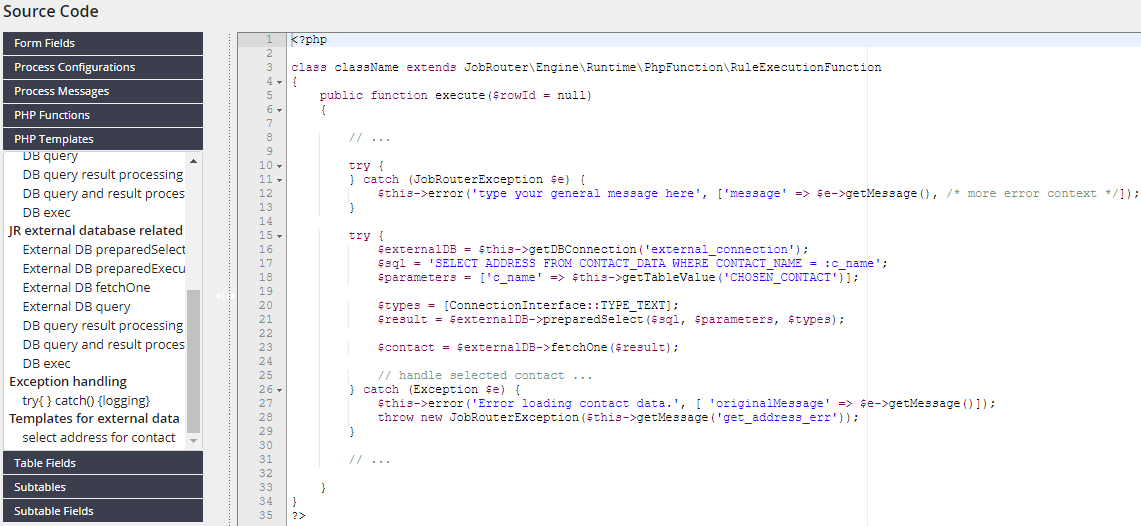
PHP templates are stored in the directory <jobrouter>/setup/xml/custom/phptemplates as XML files. If the templates stored there are not displayed in the form editor, errors are recorded in the log file system.log. One reason for this can be that the files are not valid, e.g. they have tags that are not closed or do not conform to the DTD phptemplates.dtd.
A file can contain multiple templates. A template has following attributes:
•id - a unique ID
•name - a label displayed in the editor. The name is not multilingual.
•type - several templates can be combined into a group based on the type
Example
XML file with templates:
<?xml version="1.0" encoding="UTF-8"?>
<!DOCTYPE phptemplates SYSTEM "phptemplates.dtd">
<phptemplates>
<types>
<type id="php_exception_logic" label="Exception handling" />
<type id="php_external_data_logic" label="Templates for external data" />
</types>
<template id="custom-exception-handling-with-logging" name="try{ } catch() {logging}" type="php_exception_logic">
<![CDATA[
try {
} catch (JobRouterException $e) {
$this->error('Type your general message here', ['message' => $e->getMessage(), /* more error context */]);
}
]]>
</template>
<template id="get-contact-address" name="select address for contact" type="php_external_data_logic">
<![CDATA[
try {
$externalDB = $this->getDBConnection('external_connection');
$sql = 'SELECT ADDRESS FROM CONTACT_DATA WHERE CONTACT_NAME = :c_name';
$parameters = ['c_name' => $this->getTableValue('CHOSEN_CONTACT')];
$types = [ConnectionInterface::TYPE_TEXT];
$result = $externalDB->preparedSelect($sql, $parameters, $types);
$contact = $externalDB->fetchOne($result);
// handle selected contact ...
} catch (Exception $e) {
$this->error('Error loading contact data.', [ 'originalMessage' => $e->getMessage()]);
throw new JobRouterException($this->getMessage('get_address_err'));
}
]]>
</template>
</phptemplates>
The templates are listed after the JobRouter templates in the editor:
JavaScript
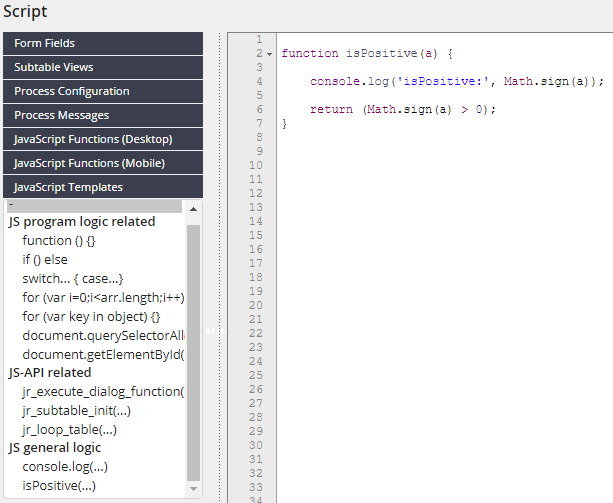
JavaScript templates are stored in the directory <jobrouter>/setup/xml/custom/jstemplates as XML files, analogous to PHP templates. All properties and behavior correspond to those of the PHP templates.
Example
XML file with templates:
<?xml version="1.0" encoding="UTF-8"?>
<!DOCTYPE jstemplates SYSTEM "jstemplates.dtd">
<jstemplates>
<types>
<type id="js_general_logic" label="JS general logic"/>
</types>
<template id="console-log" name="console.log(...)" type="js_general_logic">
<![CDATA[
console.log('type your message here');
]]>
</template>
<template id="is-positive" name="isPositive(...)" type="js_general_logic">
<![CDATA[
function isPositive(a) {
return (Math.sign(a) > 0);
}
]]>
</template>
</jstemplates>
The templates are listed after the JobRouter templates in the editor: