Description
This chapter describes how to configure JobRouter to use encrypted database connections to Microsoft SQL servers. The system configuration was tested by the manufacturer in the following system environment:
Virtual Machine: Windows 2008R2/MS SQL Server 2005 SP3 Member of the wjp.de domain
MS Certificate Server using Windows 2003 (MS CA Server)
External documentation
http://support.microsoft.com/kb/276553
http://technet.microsoft.com/de-de/library/ms191192.aspx
System requirements
JobRouter Version 3.3.x or higher together with a database connection of the SQLSRV type.
Using the MSSQL database class is not possible.
Instructions on establishing the encrypted connection
First a certificate has to be installed. To do so, use the browser to connect to the certificate server http://mycertificateserver/certsrv and select "Request a certificate".
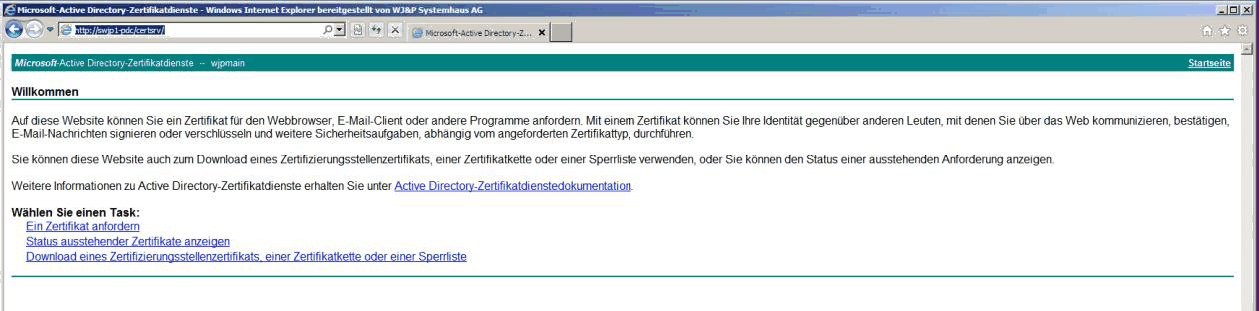
Then, select advanced certificate request.
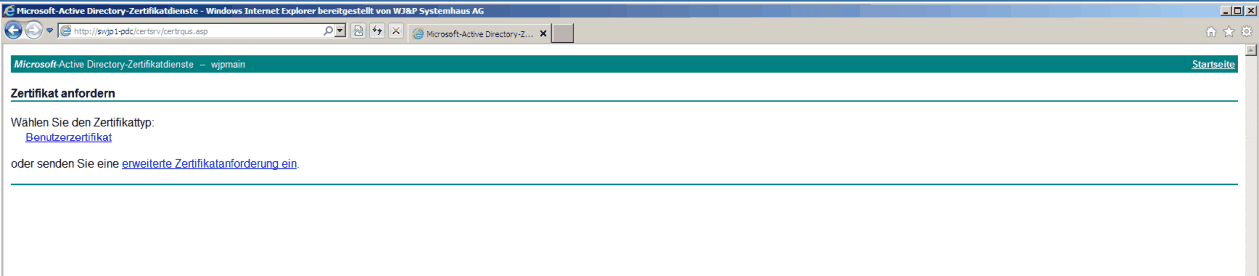
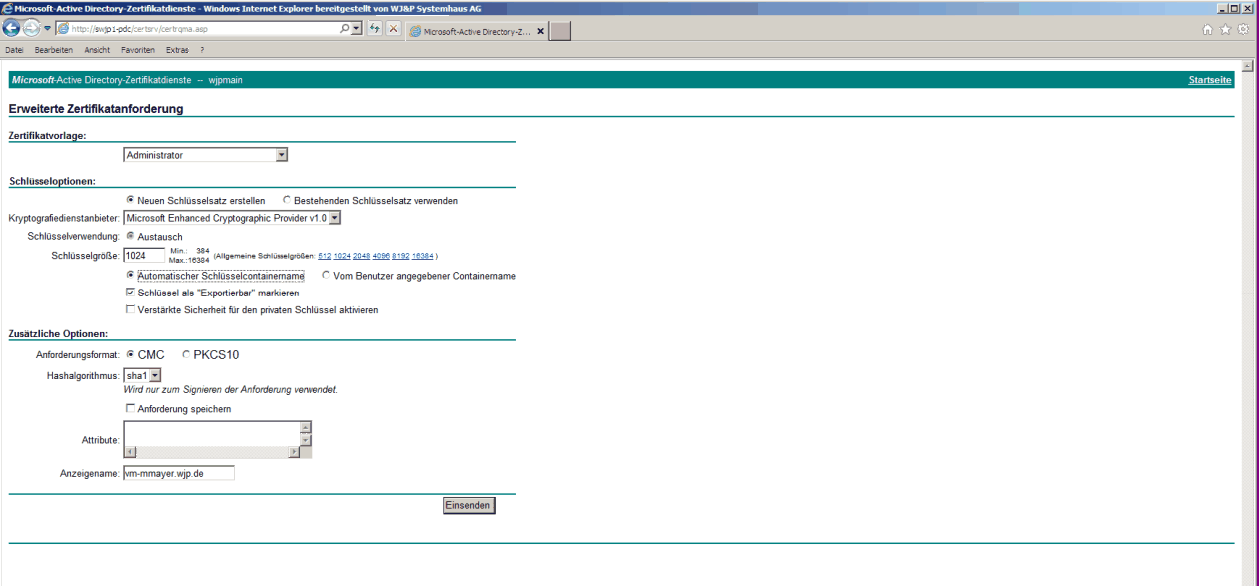
Then, Create and submit a request to this CA.

Then enter the FQDN of the SQL server in the additional options and send the request.
The certificate was issued. Click on Install this certificate.
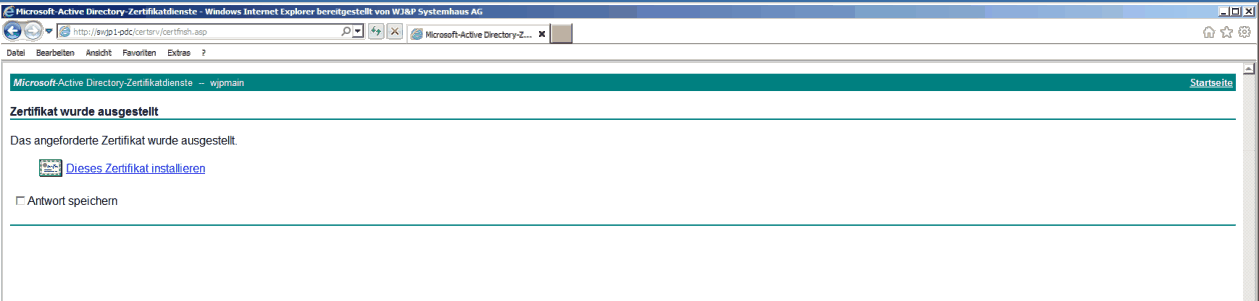
The certificate was installed on the server.

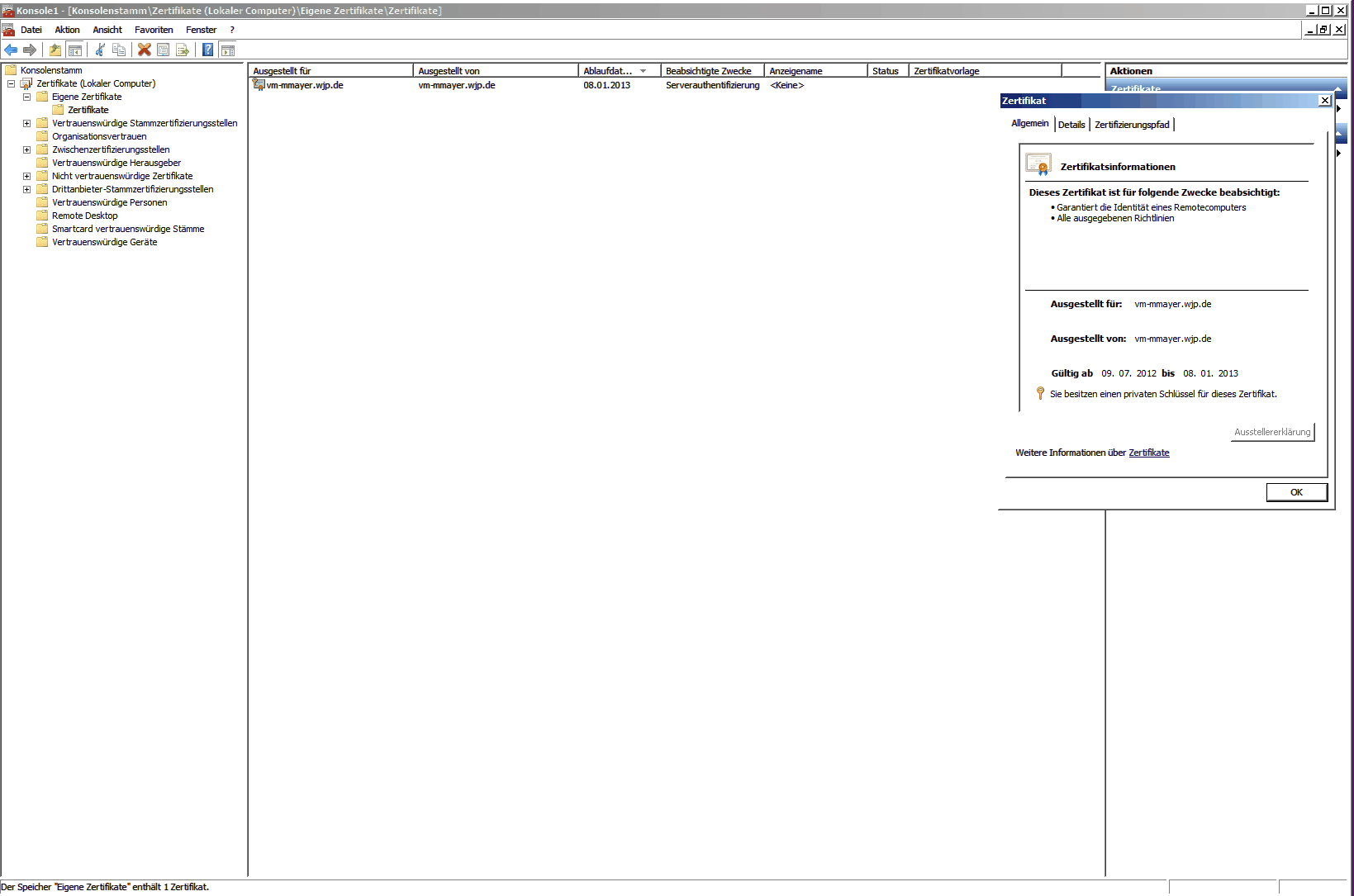
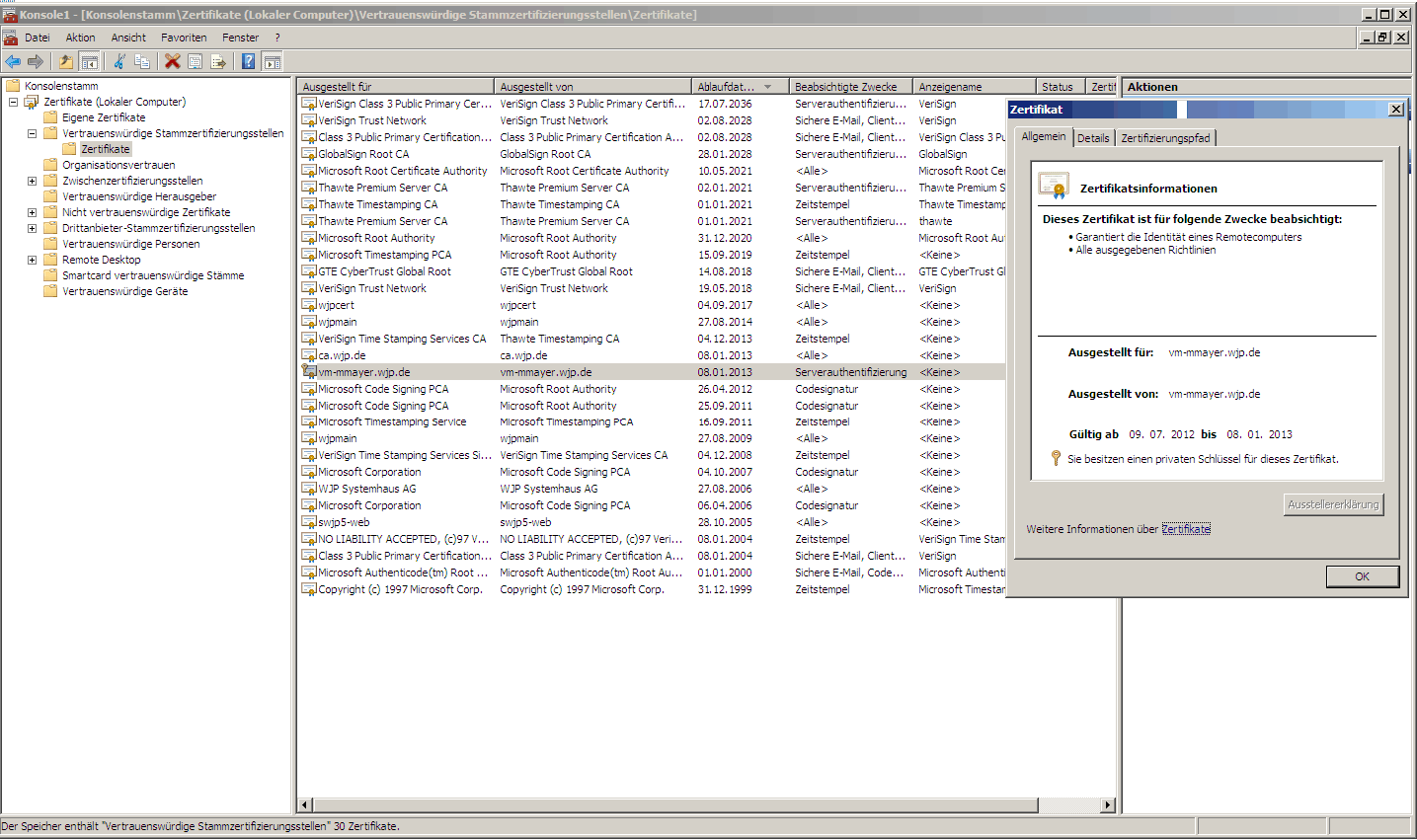
To be able to use the certificate, it has to be on the local computer in the personal certificates and the trusted root certification authorities.
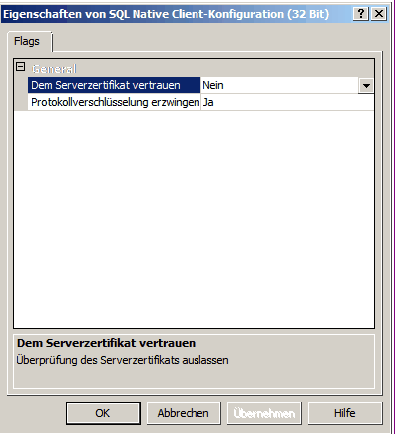
Afterwards Force protocol encryption can be activated in the server and client protocol properties of the MS SQL configuration manager.
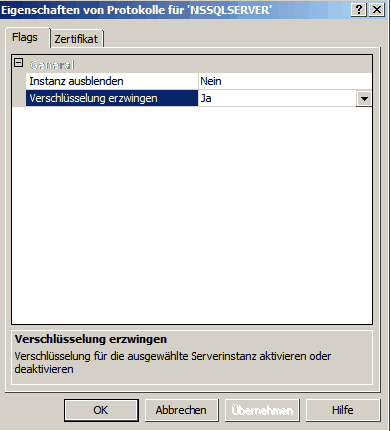
In addition, the certificate can be selected in the protocol properties of the MSSQL server.
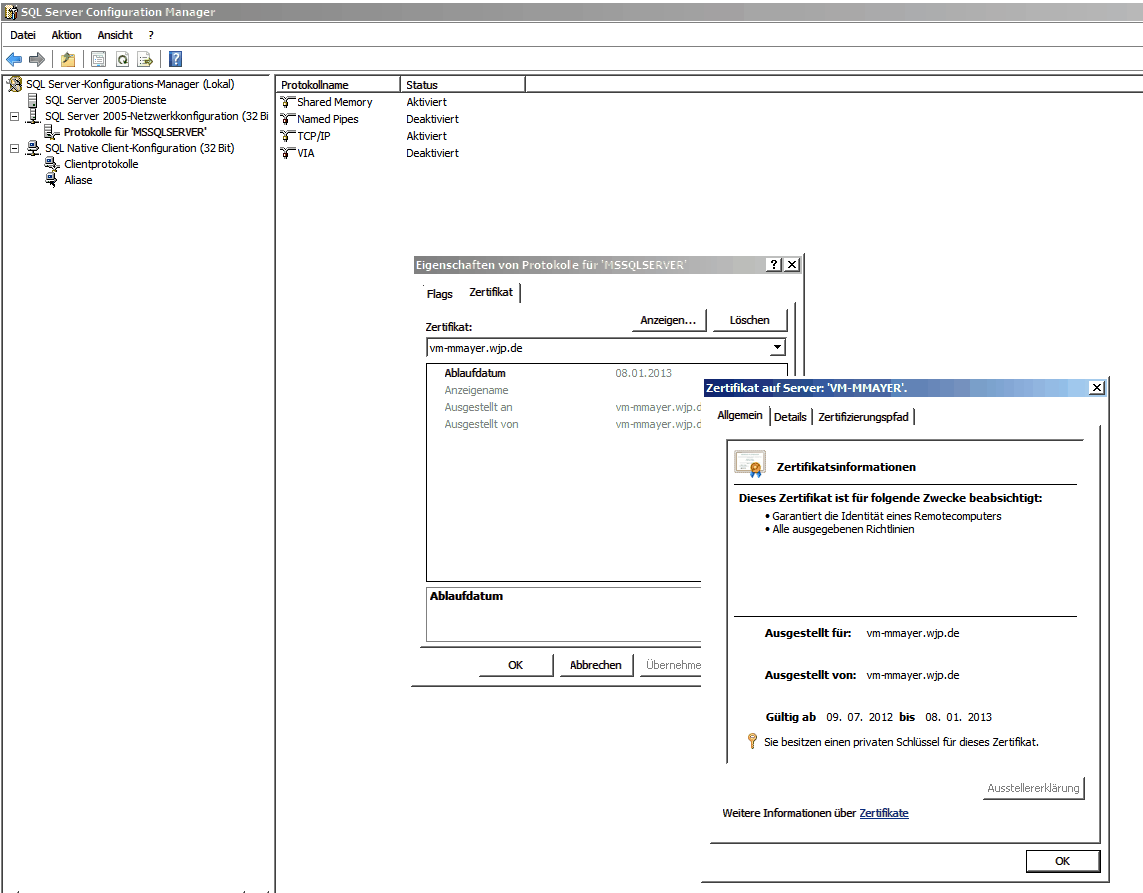
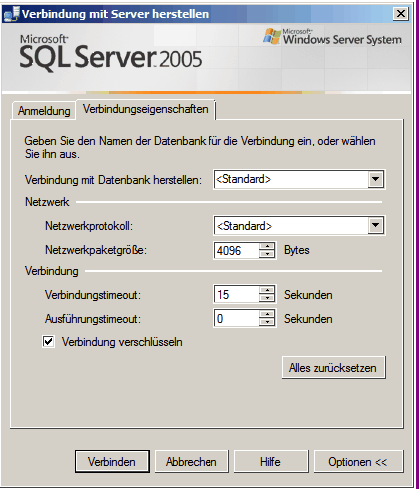
The option Encrypt connection can now be activated in SQL Management Studio.
The connection is now displayed as encrypted in the connection properties.
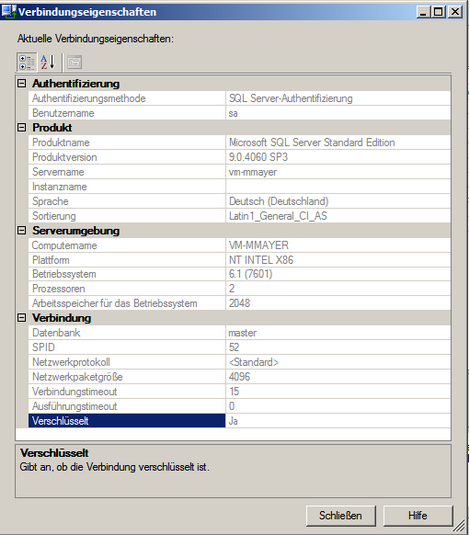
The connection to the SQLSRV database is now SSL encrypted.
