The PHP editor shows the standard frame for your function class, with class and method definitions. Enter your program code at the following place:
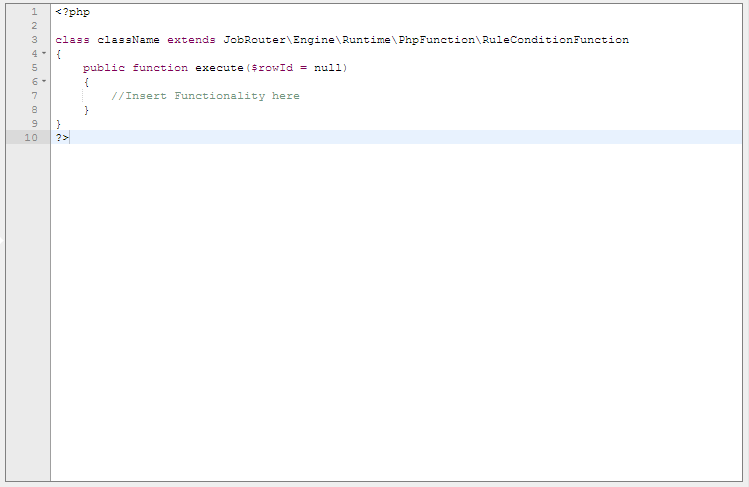
PHP-Editor
Please note: For box action functions and rule condition functions, add either return true or return false at the end of the execute() method. If no value is stated, it will be interpreted as false.
Form fields
All elements of all forms of the process can be found in the form fields picklist. You can access the value of a form element via its name. For this, use the method getformValue and pass the name of the form element as parameter to the method. By double-clicking an entry in the list, the respective method call will be placed directly at the current cursor position in the code editor.
Example: $this->getformValue('Name of the Form field')
Process configuration
You can find all process configurations of the process in the process configuration picklist. You can access the value of a process configuration via its name. For this, use the method getConfiguration and pass the name of the process configuration as parameter to the method. By double-clicking an entry in the list, the respective method call will be placed directly at the current cursor position in the code editor.
Example: $this->getConfiguration('Name of the Process configuration')
Process messages
You can find all process messages of the process in the process messages picklist. You can access the value of a process message via its name. For this, use the method getMessage and pass the name of the process message as parameter to the method. The desired language can also be passed as parameter. By default, the message is returned in the language of the user in whose context the PHP function is executed, or in the system language, if the function is not executed in the context of a user (e.g. for decision steps or system activity steps). By double-clicking an entry in the list, the respective method call will be placed directly at the current cursor position in the code editor.
Example: $this->getMessage('Name of the message', $this->getLanguage())
PHP functions
You can find all methods available for the selected type and the selected version in the picklist PHP functions. By double-clicking an entry in the list, the respective method call will be placed directly at the current cursor position in the code editor. A description of the different function types and the functions available for each can be found in the PHP API manual.
PHP Templates
In the picklist PHP templates, you can find code templates that can be used in function classes. By double-clicking an entry in the list, the respective code block will be placed directly at the current cursor position in the code editor. A description of the different code templates can be found in the PHP functions manual.
Table Fields
All fields of the process table are listed in the picklist table fields. You can access the value of a table field via its name. For this, use the method getTableValue (read) and setTableValue (write) and pass the name of the table field as parameter to the method. By double-clicking an entry in the list, the name of the respective field will be placed directly at the current cursor position in the code editor.
Subtables
All subtables can be found in the picklist subtables. Using the name of a subtable, you can perform various operations on the subtable, e.g. adding rows (insertSubtableRow), deleting rows (deleteSubtableRow), querying the number of rows (getSubtableCount) or empty the subtable (clearSubtable). For this, use the respective method and pass the name of the subtable as parameter to the method. By double-clicking an entry in the list, the name of the respective subtable will be placed directly at the current cursor position in the code editor.
Subtable fields
All subtable fields can be found in the picklist Subtable fields. You can access the value of a subtable field with a combination of the name of the subtable and the row ID. For this, use the method getSubtableValue (read) and setSubtableValue (write) and pass the name of the subtable, the row number and the name of the fields as parameter, in case of setSubtableValue the value as well. By double-clicking an entry in the list, the name of the respective field will be placed directly at the current cursor position in the code editor.
Error handling
Exceptions thrown inside your function class that are not explicitly handled there lead to the error being implicitly handled in the context of the respective call. For functions executed in the context of a step, this would lead to the step entering an error state with the exception message being the error message used for the step. In inboxes and the step overview, such steps are marked in red.
In user steps, this mechanism can be used to, for example, apply a complex verification for data entered by the user, and in case of a negative result throw an exception with a respective message. The exception avoids the execution of further rules. The error message is displayed to the user immediately in the form.
