If you are using a test and a production system , you can export single or multiple processes from the test into the production system, or the other way around. This allows you to create processes in the test environment to test them, and then exporting them to the production system.
Please note: The add-on module JobSync is required to establish such a production and test environment.
Choose a process to export from the process overview by checking the box next to it. Then click Export to Test/Production System in the drop-down menu at the end of the process overview.
JobRouter now checks if the process is already in the target system. After the check you will see a list of all processes that are to be exported. The column Check shows if a process is already existing.
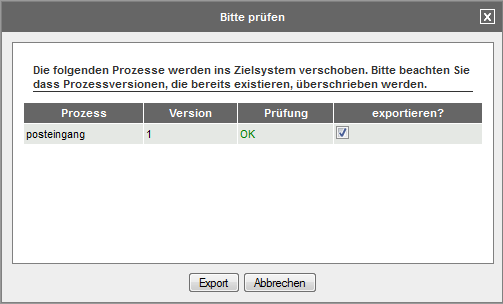
Display of the to be exported processes
Confirm to export the processes or remove the check in front of those processes you do not want to transfer. Now click Export.
All relevant data of the selected processes will be transferred to the target system. Relevant data of a process is the process definition, all files in the data directory of the process version and all PHP files in the functions directory of the process version.
