Click Resources | Job Function in the Designer navigation menu. You will see an overview of all the Job Functions that participate in that process.
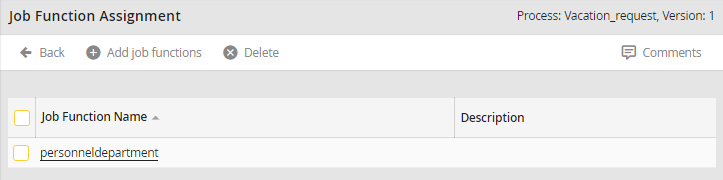
Overview of all Process JobFunctions
Click the name of a Job Function to open a pop-up window displaying usernames, first names, and last names of all users that belong to that Job Function.
Clicking Add job functions opens a list of all available JobRouter Job Functions.
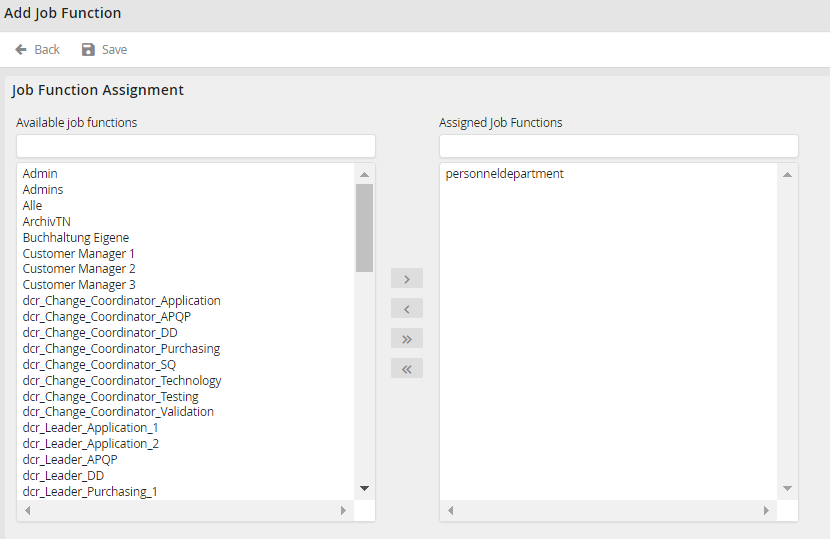
List of all Job Functions
Select a Job Function. Click on the arrow  to assign the selected Job Function to the process. The arrow back
  removes the selected Job Function from the current process. Use the arrows
  /
/  to apply all available Job Functions or remove all Job Functions from the current process. Click Save to save the applied Job Functions and return to the overview.
