The proper value assignment is done in the Assignment tab. Click on the tab to see the following input mask.
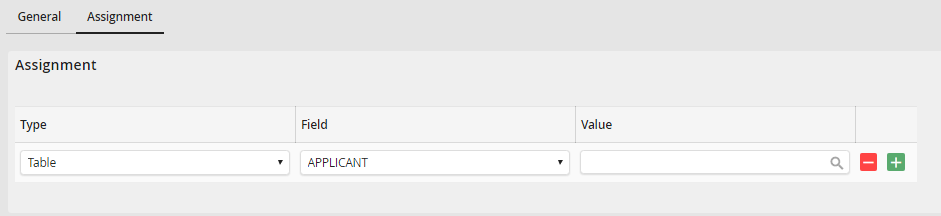
Assignment inside the Value Assignment Rule
Click on  to add a new row, and click
  to remove a row. Using the drop-down lists in the type and field columns allows you to specify how the process table and subtable values should change.
The following settings can be changed:
Rule properties |
Description |
|---|---|
Type |
•Select if you want to use the value of a field of the process table or the linked subtable. •To be able to select the subtable type, you have to first link the subtable in the General tab. |
Field |
•Specify the field you want to modify the value of. |
Value |
Specify the new value for the field. Click on |
 to select process and system fields.