The PDF document opens in JobViewer for viewing.
Set signature fields:
Click on Signature area (pencil icon) at the top of the tool list and drag the mouse to the area where you want the signature to appear. Repeat the process for another signature if necessary. Then click on Save.
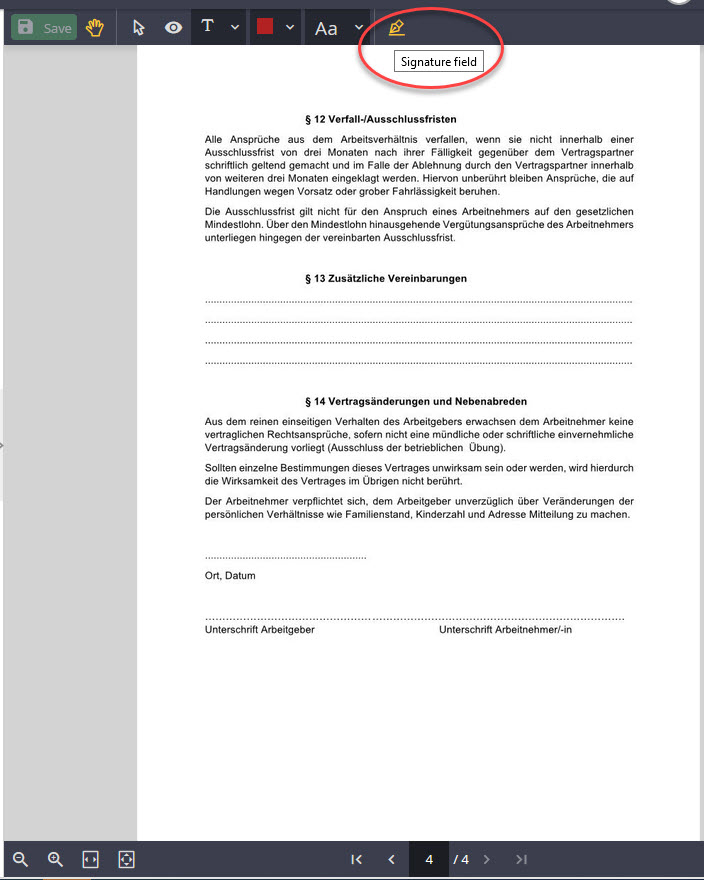
Choose signature area
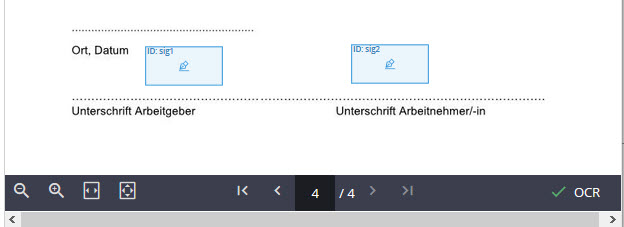
The signer ID is automatically incremented with each set (sig1, sig2..).
Please note:Please note that the signer ID is identical to the one entered and used later in the process. The signing sequence must also be observed
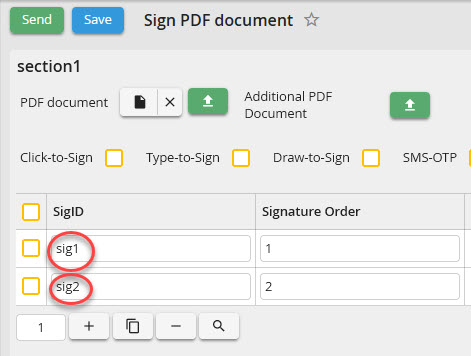
PDF signing IDs
Delete a signature field:
If a signature was set by mistake or too much, click on the selection tool (arrow) at the top and then click on the signature. Then press the Ent (Remove) button to delete the signature field.
