An installed JobSync add-on module allows you to transfer one or more JobImport tasks from a productive system to a test system and vice versa. Doing so will allow the imported instances to be tested and edited without affecting the productive system. For example, if an error occurs during import, transfer the instance concerned to a test system, where you may examine the JobImport task. Once the error is corrected, transfer the task back to the productive system.
The same process version must be on both the source and the target system for a successful synchronization between the two systems to take place. When this is not the case, you will receive an error message.
To synchronize one or more JobImport tasks, click one of the choices in the action bar Transfer to Test System or Transfer to productive system, as appropriate. After clicking on the respective button, the following pop-up window appears.
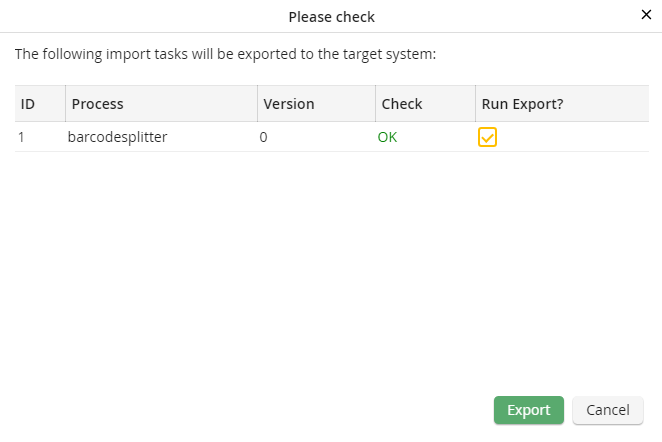
Synchronize JobImport tasks
The first three columns show ID, the name, and the version of the imported process. The Check column shows the result of the target system check. If the check is successful, you can export the import tasks. Select the checkbock in the Export column. Click on the Export button to transfer the tasks.
