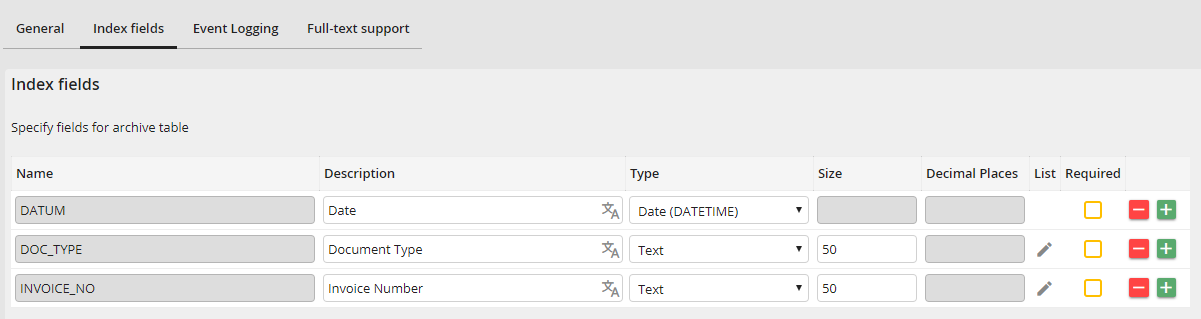
Edit Archive - Index fields tab
You can define the index fields of an archive here. Click on the plus or minus button in the table to add or delete rows. You can define an index field in every row. The following columns are available as properties:
Column |
Definition |
|---|---|
Name |
Please enter a unique name for the index field. This name is only used internally. |
Description |
Enter a description for the index field. You can add translations in other languages (only with licensed module JobMultilingual). |
Type |
Select the type of the index field. The following types are available: •Text •Integer •Large integer •Decimal number (123.00) •Long text •Date (DATETIME) •Encrypted text •Keyword field |
Size |
Enter the size of the index field. |
Decimal Places |
In case of a decimal field, enter the amount of decimal places. |
List |
Click the button to define a list of allowed index values for this index field. This list can be used in an Archive View to create a filter list. The list can be translated, which allows entries in the Archive View to be displayed translated (Only Enterprise Edition). Furthermore, the list can be filled by an SQL query. |
Required field |
If an index field is marked as required, it cannot be saved with an empty value. This property can be removed or added at any time. |
List fields
Use the button in the list column to open a pop-up to configure the elements of the list. Fixed list values can be added in the Options tab. Use the Database tab to select a database connection and use a SQL query to receive list entries. If both tabs are being used, the results will be merged.
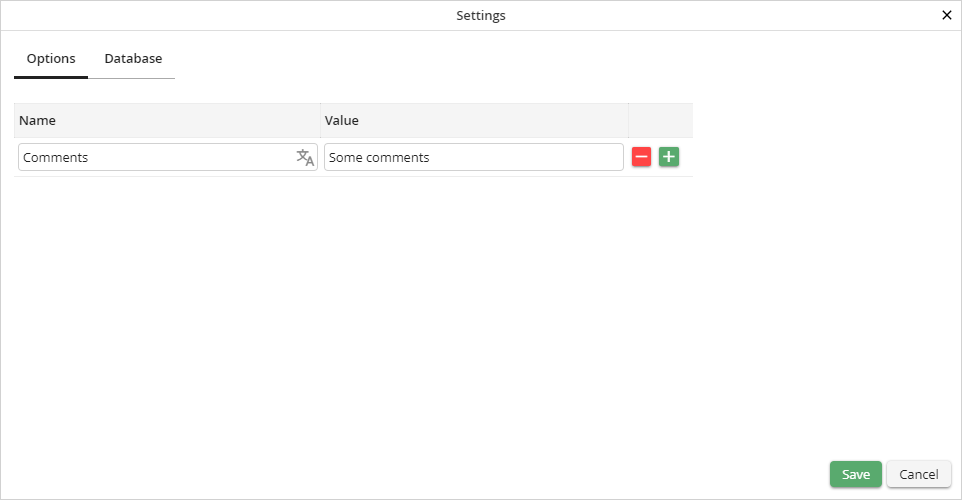
Preconfigured options list
Column |
Description |
|---|---|
Name |
The text entered here will be displayed in the list. |
Value |
The text entered here will be used as selection value. |
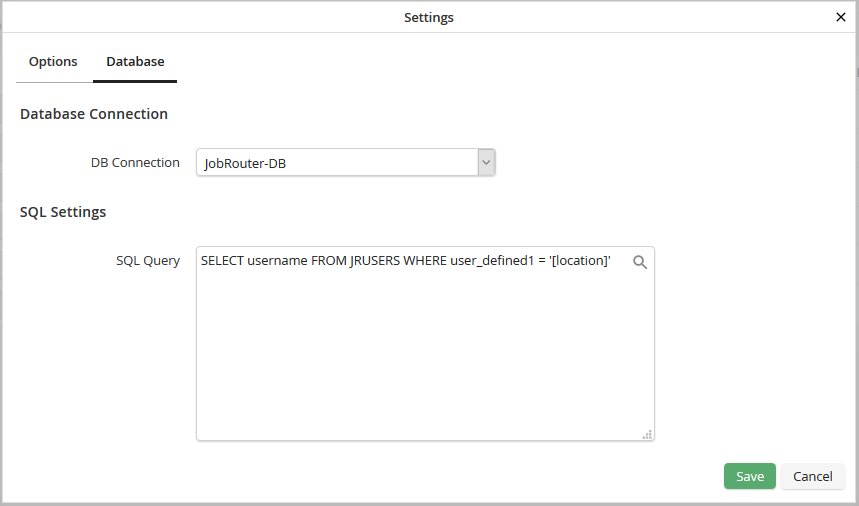
List with results of a database query
Field |
Description |
|---|---|
DB connection |
Select a database connection here. The JobRouter database and all globally configured databases are available. |
SQL Query |
You can fill the list with the results of an SQL query. The first column of the result will be used as name, the second column as value. If the result contains only one column, it will be used as name and value. |
By clicking on the magnifier symbol a window is opened, where you can select placeholders. Available are JobRouter variables and index fields with stored lists. When performing a database query the placeholders are replaced by current values. If index fields are used as placeholders, the list options get automatically updated, when documents are saved or edited and column values are changed.
Please note: To ensure that SQL queries are performed correctly, placeholders should only be used in the WHERE condition.
Please note: List fields with placeholders are currently not supported by the modules JobMail Connect and JobExplorer.
