In the JobServer Configuration menu, general settings of the JobServer service as well as the configuration of individual JobServer modules can be performed.
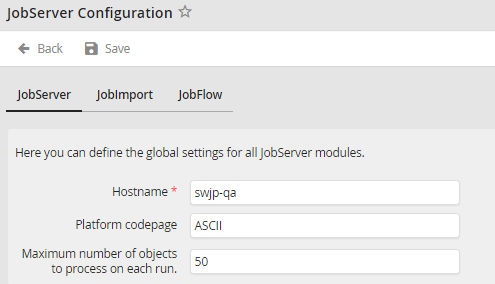
JobServer configuration - JobServer
You may configure the following settings.
JobServer
Settings |
Definition |
|---|---|
Hostname |
Name of the host on which the JobServer service is installed. If the service is not executed on the same server as the installation of the JobRouter web application, you have to adjust the value accordingly.
Please note: The hostname must not be longer than 15 characters. If the hostname is longer, it should be shortened to 15 characters. |
Platform codepage |
The character set of the operating system. It is used to use the correct character set when saving filenames in the file system. If a filename contains characters that are not part of the specified character set, they will be replaced with underscores. Default is ASCII. |
Maximum number of objects to process on each run |
Batch size used to process JobFlowExecute, JobFlowSend and JobImport. |
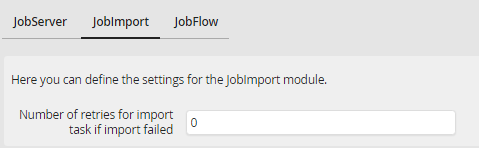
JobServer configuration - JobImport
JobImport
Settings |
Definition |
|---|---|
Number of retries for import task if import failed: |
Set the number of retries in case an import task cannot be started. |
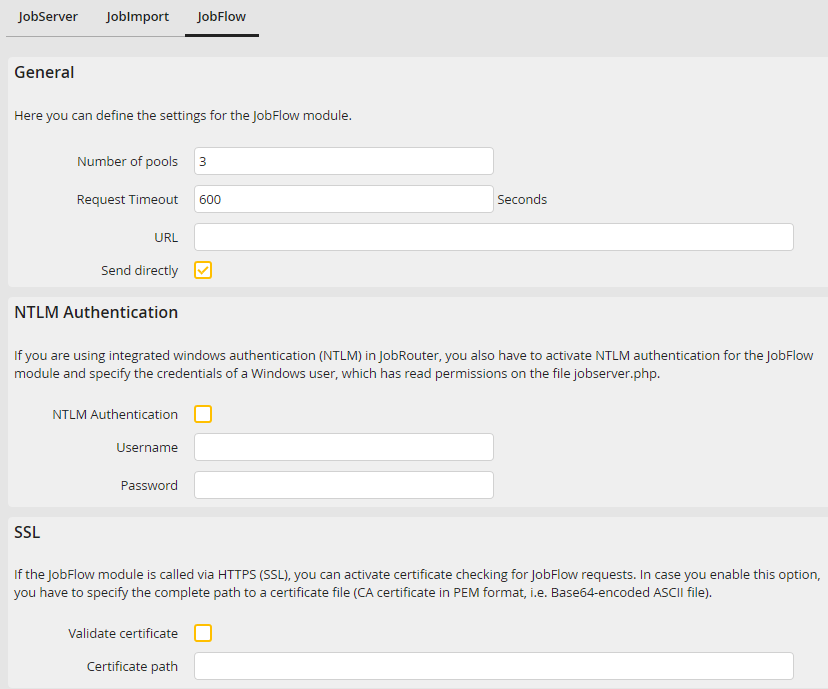
JobServer configuration - JobFlow
JobFlow
Settings |
Definition |
|---|---|
General |
|
Number of pools |
Number of pools used for the parallel processing of steps. |
Request Timeout |
Time in seconds after which sending is aborted. Default: 600 seconds. This value must be about 10% higher than PHP timeout and FastCGI activity timeout. E.g. PHP timeout in php.ini file 600 seconds, FastCGI activity timeout in web server 660 seconds, timeout for request in this menu 720 seconds. |
URL |
Enter the URL the service can use to access JobRouter. If no different URL is stated, the default JobRouter URL is used. |
Send directly |
Enabling this setting causes the .NET system activities to be sent directly after they have been executed. This only makes sense on demo systems and systems with a few automatic steps. On systems with a high workload, activating this setting can even slow down step processing. |
NTLM Authentication |
|
NTLM Authentication |
If you use the integrated Windows authentication (NTLM) in JobRouter, you also have to activate the NTLM authentication for the JobFlow module and enter a Windows user who has reading permissions on the jobserver.php file. |
Username |
Windows user name for the NTLM authentication |
Password |
Password of the Windows user for the NTLM authentication |
SSL |
|
Validate certificate |
If the JobFlow module is called via HTTPS (SSL) and a certificate validation is to be performed, activate this option. |
Certificate path |
Enter the complete path for the certification file here (CA certificate in PEM format, so the Base64-coded ASCII file). |
