Click New in the action bar to add a new instance archive, or click on the name of an existing archive for editing. In either case, the Edit Archive dialog window will be displayed.
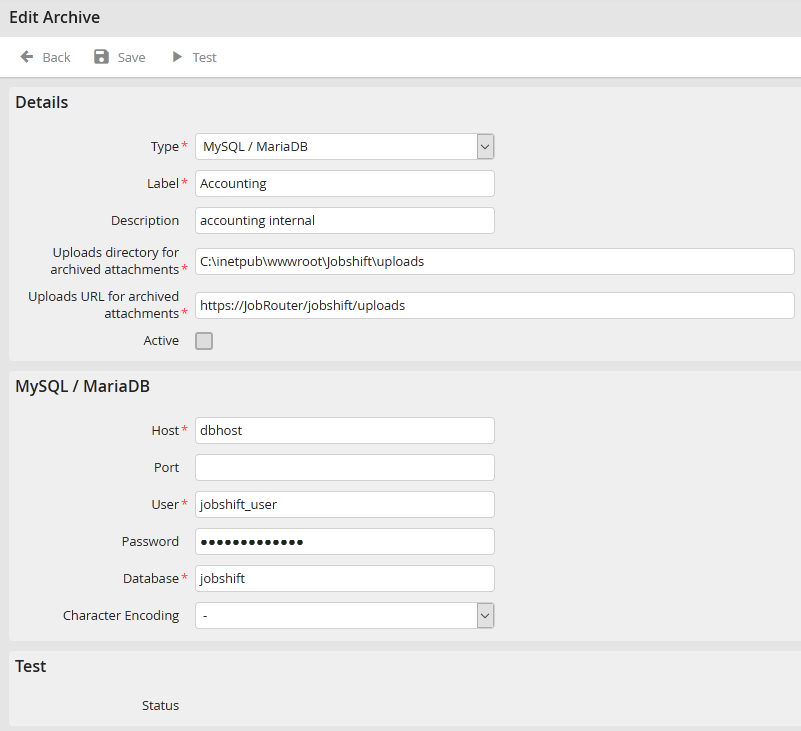
Edit archive
You may configure the following settings in the details section.
Instance Archive Setting |
Definition |
|---|---|
Type |
Choose a database type for the instance archive. |
Label |
Assign a name to the instance archive. |
Description |
Add an optional description. |
Uploads directory for archived attachments |
Enter the name of a directory to hold instance attachments. |
Uploads URL for archived attachments |
Enter a URL address where attachments can be found. |
Active |
Check the box to activate the instance archive. |
The database type chosen will determine the other parameters that must be configured. Those parameters are described in the following tables.
MySQL / MariaDB
Connection to a MySQL respectively MariaDB server.
Property |
Definition |
|---|---|
Host |
Enter the server name or its IP address. |
Port |
Enter the port number, under which the server is available. |
User |
Assign a username for the database. |
Password |
Provide the password for that username. |
Database |
Give the name of the database used. |
Character encoding |
Choose the character encoding here in case the character set for the external database varies from the one used for the JobRouter database. |
Oracle
Connection to an Oracle server.
Please note: The Oracle administrator must first manually create a default schema for the database user.
Property |
Definition |
|---|---|
Host |
Enter the name of the database instance or its TNS name. |
User |
Assign a username for the database. |
Password |
Provide the password for that username. |
Character encoding |
Choose the character encoding here in case the character set for the external database varies from the one used for the JobRouter database. |
SQLSRV
Connection to the Microsoft SQL server via the SQLSRV extension (Unicode-capable).
Property |
Definition |
|---|---|
Host |
Enter the server name or its IP address. |
Port |
Enter the port number, under which the server is available. |
Users |
Enter a username. |
Password |
Provide the password for that username. |
Database |
Give the name of the database used. |
Character encoding |
Choose the character encoding here in case the character set for the external database varies from the one used for the JobRouter database. |
Please note: When creating a new instance archive, JobRouter automatically creates a database with the given name.
