The administration of the content repositories is in the configuration menu in JobRouter. If the JobArchive module and the JobArchive Link for SAP module are licensed, the link Manage SAP content repositories will be visible in the JobArchive Link box of the Modules tab. Please open this link. You see a list of the established content repositories and can edit or delete them.
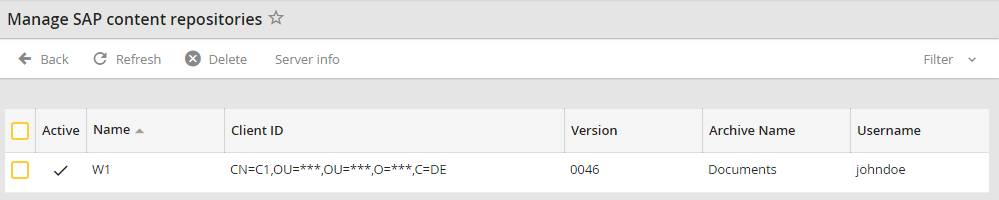
Manage SAP content repositories
The list contains the following data:
Property |
Explanation |
|---|---|
Name |
Content repository (matches configuration in SAP) |
Client ID |
Unique identifier of the client (SAP system) |
Version |
Interface version (currently 0046) |
Archive Name |
Assigned JobRouter archive |
Username |
User who made the last changes to the configuration in JobRouter |
Active |
Repository status (Documents can only be transferred into active repositories) |
Selecting a repository will display the following configuration dialog:
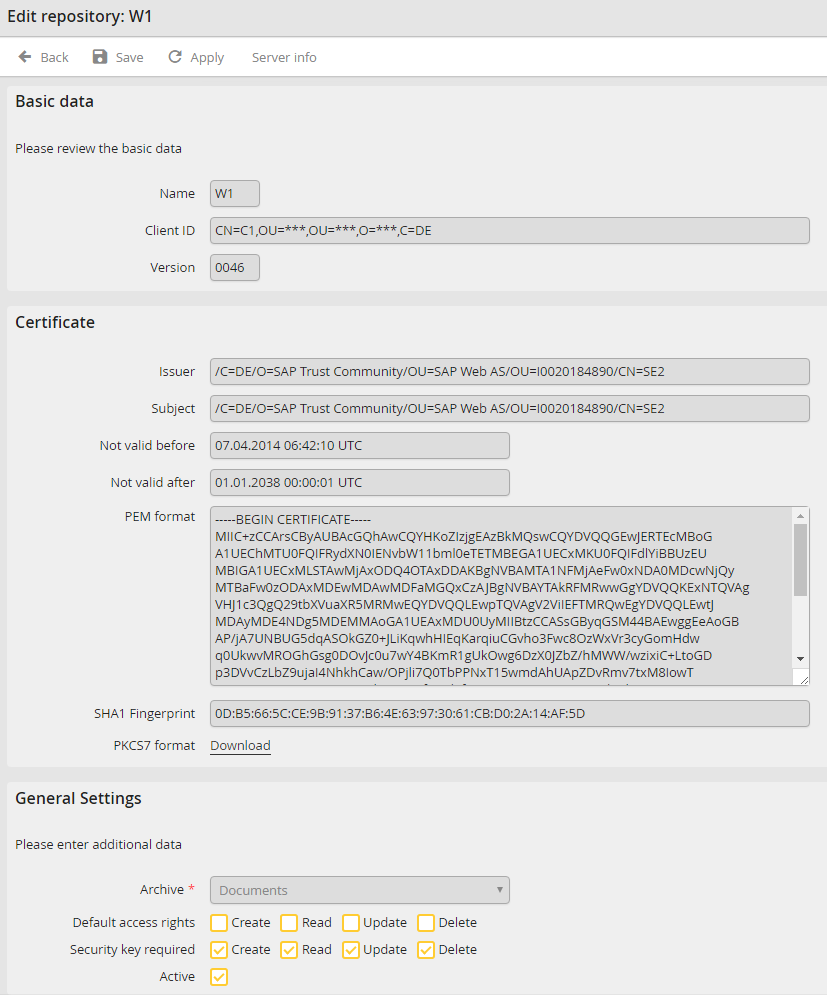
Edit repository
Repository name, client ID and version are retrieved from the SAP system and can not be processed in JobRouter. The certificate transmitted by the SAP System is binary in PKCS7 format and can be downloaded. For further processing in JobRouter, the certificate is stored in the so called PEM format and listed in this form with additional attributes.
You can configure the following settings:
Property |
Explanation |
|---|---|
Archive |
The JobRouter archive, this field cannot be changed anymore once assigned. |
Default access rights |
Default access privileges for documents in the archive. They will be used if a document is transferred without explicit rights. |
Security key required |
Defines if transferred data is to be verified with a signature. It is recommended to use this option for an active system. |
Active |
Repository status. The repository will be deactivated if the certificate is changed. |
Server info
There is the possibility to retrieve the server info in both the content repository overview and the detailed view. The serverInfo method of the SAP Content Server HTTP interface is retrieved. When opening it via the content repository overview, all existing repositories will be displayed, while opening it in the detail view only the respective repository will be displayed:
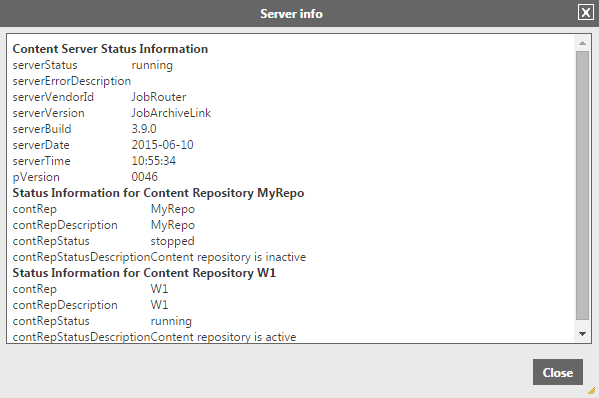
Example for server info in the overview of the content repositories
