You can make the following settings.
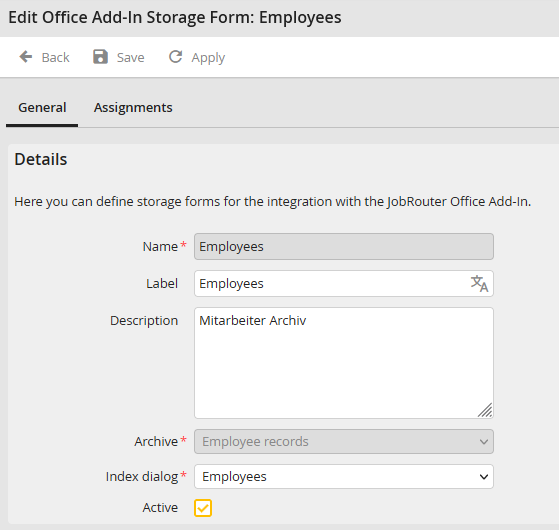
Storage mask configuration
Property |
Description |
|---|---|
Name |
The name under which the Office Add-in storage mask is saved. |
Label |
A translatable name for the configuration can be entered here. This name is displayed in the Add-in depending on which language the user has set. Click on the symbol on the far right to enter the translations. |
Description |
You can enter a specific description for the configuration. |
Archive |
Select the JobRouter archive here. |
Index dialog |
Select the index dialog for the archive here. The index fields are displayed in the Office Add-in. |
Active |
If you activate this checkbox, the filing mask is activated. All active filing masks are displayed in the Office Add-in. |
Click on Save to save these settings.
