Configure and activate Passphrase
For passphrase configuration click on Admin Tools > Configuration > Module > JobShare > Configure JobShare and insert the passphrase in the respective field. Then activate the module by ticking the checkbox Active.
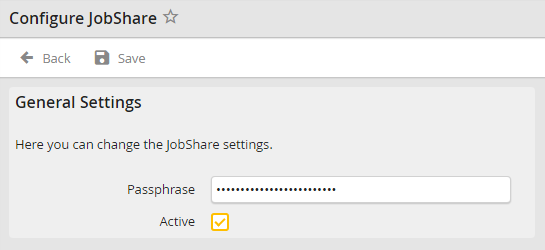
JobShare configuration
Note: For security reasons inserting the passphrase is mandatory to enable the SharePoint integration. Therefore a safe passphrase including digits and special characters should be chosen.
