The configuration in SharePoint is performed via a WebPart. The configuration dialog can be found in SharePoint 2015. Invoke the respective box and click on Edit in the menu.
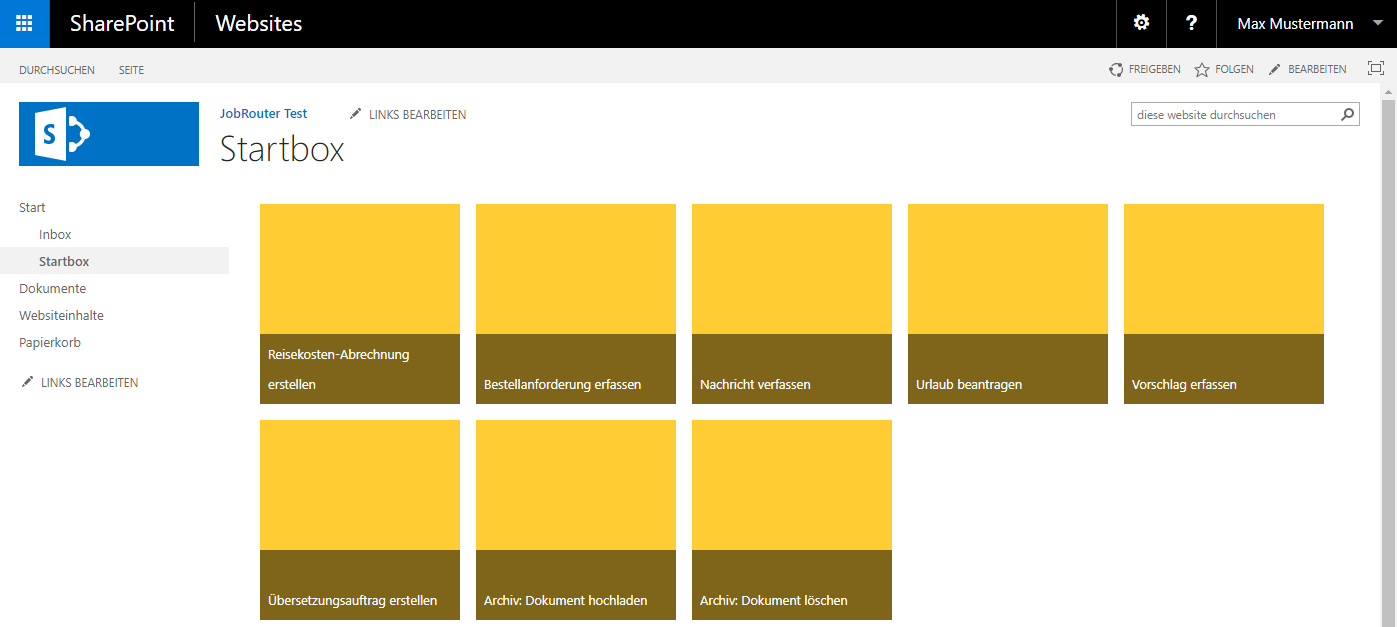
Startbox
Another dialog is opened. Go to JobRouter Integration Startbox in the top right corner, click on the arrow and select edit WebPart.
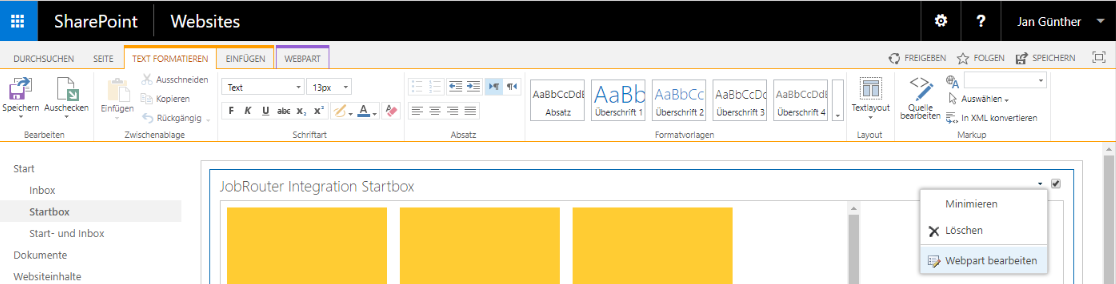
Webpart bearbeiten
Another dialog is opened.
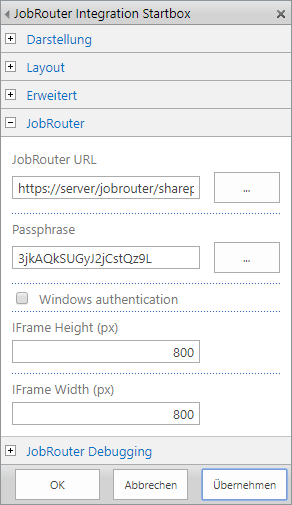
Konfiguration der Box
The following settings can be made under JobRouter:
Feature |
Explanation |
JobRouter URL |
The complete JobRouter-URL with the addition "sharepoint/" (e.g. http://www.jobrouter.de/jobrouter/sharepoint/ - please ensure that the last character is "/") |
Passphrase |
The passphrase saved in the JobRouter settings |
Windows authentication |
Activate this checkbox when using Single-Sign-On |
Iframe height |
Integration height in pixels |
Iframe width |
Integration width in pixels |
Confirm the entry by clicking Apply and safe the setting by clicking Save in the menu.
