JobRouter offers the possibility to run several JobRouter instances with one installation. This means that a single installation of the JobRouter web application and JobRouter services allows running multiple JobRouter instances without the need of another installation for each new instance. Instances allow managing process and organization data of individual customers in such a way that other customers have no access to them.
From a technical point of view it is realized by assigning every instance its own database for process and organization data. The JobRouter directories, where instance specific data (e.g. attachments) is saved, can also be set up in such a way that only files from one instance are saved in one directory.
During instantiation there is always one main instance and possibly one or many sub instances. The main instance is the system which was set up initially. The sub instances are added in the main instance. A unique instance number is assigned to every instance.
The various sub instances can be directly called by using an additional GET parameter in the URL:
http://server/JobRouter/index.php?jr_instance_id=instancenumber
It is also possible to display a field for the instance number on the JobRouter login page. To display this input field on the login page, you have to add the CONST_SHOW_INSTANCES constant to the config.php file and set its value to true.
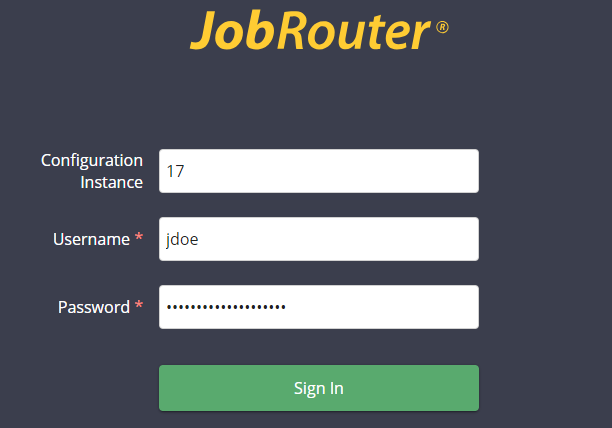
The instance number is used during the login to establish a connection to the respective instance database to process the user login and to load the respective instance directories. If no instance number is entered you will be automatically signed into the main instance used to administer the other instances.
The JobRouter services can also be configured for instancing. It is possible to choose if instances are processed parallelly or sequentially. A combination is also possible, e.g. you can group instances together and have them processed sequentially while other instances are processed parallelly in another thread. This allows distributing the load of the individual instances in an optimal way and to make better use of the available system resources.
Please note: To use the instancing feature, a respective JobRouter license is required.
If you have instance management licensed in JobRouter, you can find the new section Instance Management in the configuration under Admin Tools.
