Settings for the JobServer service
To allow the JobServer service to process the necessary number of processing pools it has to be entered into the JobRouter Service Configuration. Insert as value the number of requested processing pools.
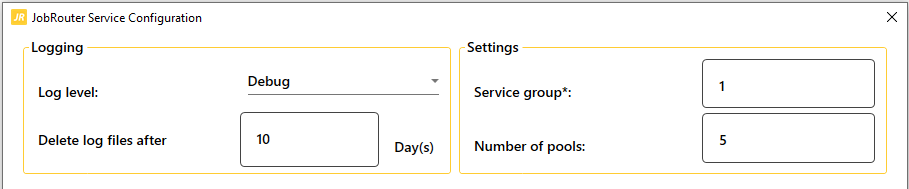
The JobServer service has to be restarted afterwards.
Settings for the JobRouter web application
The processing pools for the JobRouter web application are set in the JobRouter configuration under General -> Services -> JobRouter configuration. Open the JobFlow tab.
Enter the desired number of pools in the Number of pools field. Save the setting.
Please check afterwards whether the correct values have been entered in the pools column of the JobFlowSend and JobFlowExecute lines in the JRMODULECFG table.
The values must be identical to the setting you have made in the JobRouter service configuration.
