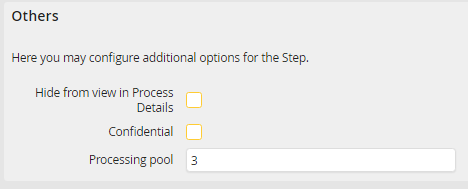
Assigning the processing pool in the step properties
A fixed processing pool can be assigned in the step properties. The step will use the default processing pool if the field is empty.
If the step is started by the JobImportor or JobStart module without a fixed processing pool, all instances will be distributed evenly on all available processing pools by random. Alternatively, you can pass the pool number in the import task (see chapter 18).
If you want to limit the automatic distribution of JobImport to a range of processing pools, you can use the jobimport_pool_random_min and jobimport_pool_random_max entries in the JRSETTINGS table.
setting |
setting_value |
setting_type |
|---|---|---|
jobimport_pool_random_min |
2 |
jobserver |
jobimport_pool_random_max |
4 |
jobserver |
With this you can ensure that all instances started by JobImport will only be automatically distributed to the different pools inside this range.
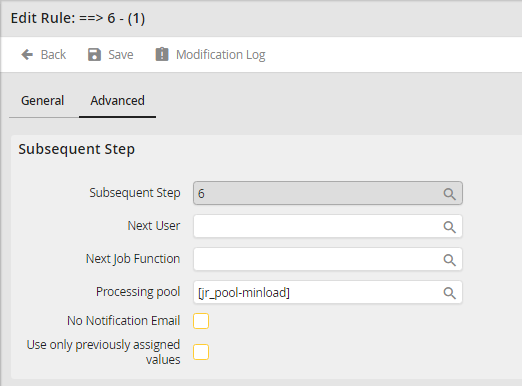
Assigning the processing pool with rules
You can set the processing pool of the subsequent step with routing rules. This also overwrites the pool assignment in the step properties. Next to assigning a fixed processing pool, the usage of variables is also possible (see chapter JobRouter variables).