You can only delete a process if it is not marked as Active  or Write protected
  .
.
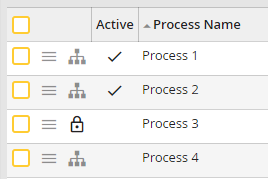
Processes with status Active, Write Protected and not Active
In addition, all instances of the process must be completed. Select the checkbox in the first column of the process overview to delete a process and click Delete. Confirm the deletion by clicking Yes. The process is now deleted.
Please note: The process version with all associated instances will be deleted.
