You can define your input parameters on this tab.
Fields
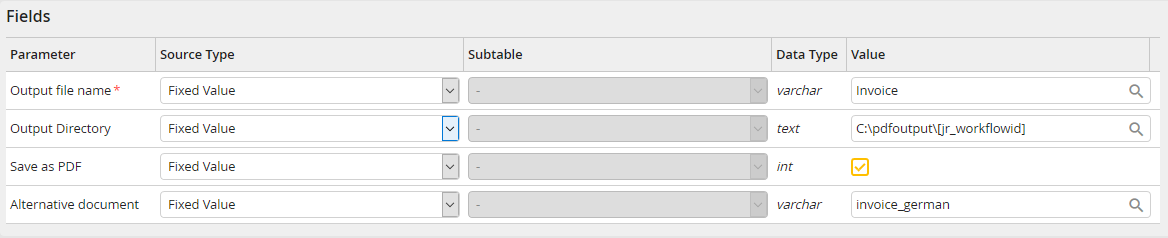
Input parameters: Fields
Setting |
Description |
|---|---|
Output file name |
The desired name of the filled-out template without file extension. Please note: Invalid characters in the file name are replaced by underscore. Which characters are replaced depends on the file system type. Example (for Windows): (Process field)\Invoice is changed to Value_Invoice |
Output directory |
An optional output directory can be defined here. If the directory does not exist, it will be created by the system activity. |
Save as PDF |
Select if the Word document is to be saved as PDF. |
Alternative document |
Alternative document that shall be used for PDF creation instead of the selected Word document. Here the name of the required process configuration of the type JobPDF Word template has to be inserted. This setting can be used for the process-oriented selection of Word templates (e.g. invoices in different languages). |
Please note: If you use images and graphics within a table in the Word template, they will not be saved in the PDF if these images were inserted in the With text wrap layout option. Please use the layout option With text in line instead if the images in a table should also be saved in the PDF.
Individual fields of the template
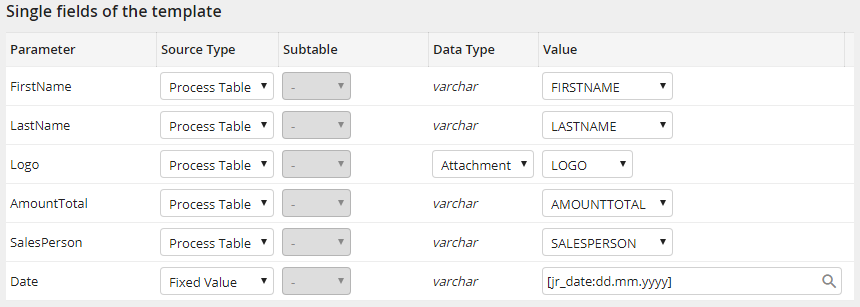
Input parameters: Fields of the template
The merge fields of the Word template that are not inside a Range are listed here.
Range fields of the template
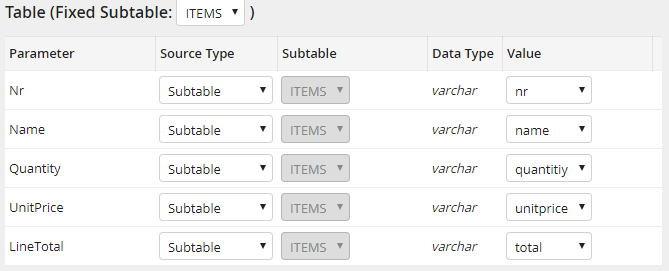
Input parameter: Range fields of the template
The merge fields of the Word template that are inside a Range are listed here. The individual ranges are listed separately as groups.
