An existing document can be opened through the SMASHDOCS form element.
Configuration
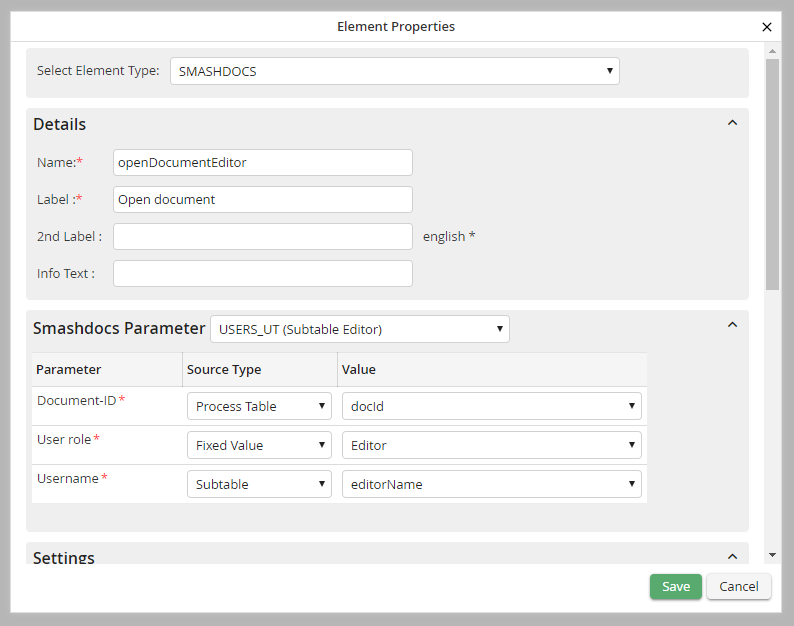
Configuration of a dialog element
The following features can be configured:
Feature |
Description |
|---|---|
Name |
Name of the element |
Label |
Button text |
2. Label |
Name displayed behind the element |
Info Text |
Text to be displayed in the balloon |
Smashdocs parameter |
|
Documenten ID |
GUID of the document to be processed |
User Roles |
One of the SMASHDOCs user roles |
Username |
Valid username from JobRouter |
Settings |
|
Width |
Width of the button in pixels |
Read-Only? |
Determines, if the element is active, if the step was opened only in read-only mode. |
Available in Edit mode? |
The element is active if the step was opened in Edit mode. |
Disabled? |
If this option has been selected, the attached document can't be opened in the dialog. |
Hidden? |
The element is integrated but hidden in the view. |
Scripting |
|
OnClick |
Script to be executed when the element is clicked |
Color |
|
Label color |
The color of the label |
Background color |
Background color of the element |
Text color |
Color of the button |
Display
When clicking on the button in the dialog, the required SMASHDOCs document will be displayed in a new window or a new tab. Depending on the Job Function it can be viewed or edited.
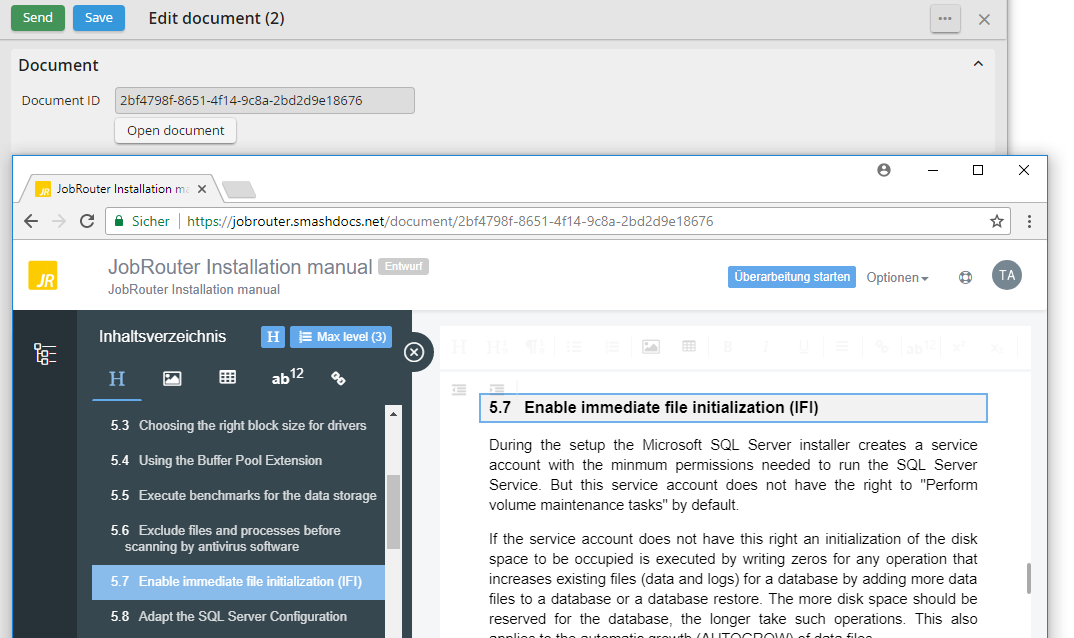
An open Smashdocs document
