Click on an existing profile to edit the General Settings, or click New in the action bar to create a new one.
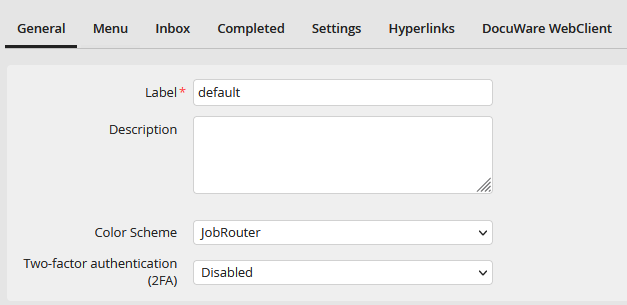
User profile general settings
Enter a name for the profile in the Label field. You must enter a name, because it is a mandatory field. Alternatively, you can specify the profile in the Description field. An individual color scheme can be assigned to each user profile. Select the desired color scheme from the corresponding list.
You can select one factor from the Two-factor authentication (2FA) list, if you want to use the two-factor authentication. The default setting for already existing and newly created profiles is Disabled. For further information on the two-factor authentication, please see System > Configurations tools > Security > Authentication, Two-factor authentication).
You can make additional settings concerning the navigation menu and user boxes on the following tabs. The following chapters explain these settings in detail.
Click Save to store your settings and be taken back to the user profile overview.
