With the Rights tab, you select the rights the users assigned to this profile should have.
Please note: This tab will only be visible, if Manage User Rights in the security settings was switched to user profile level (see chapter Security settings > General).
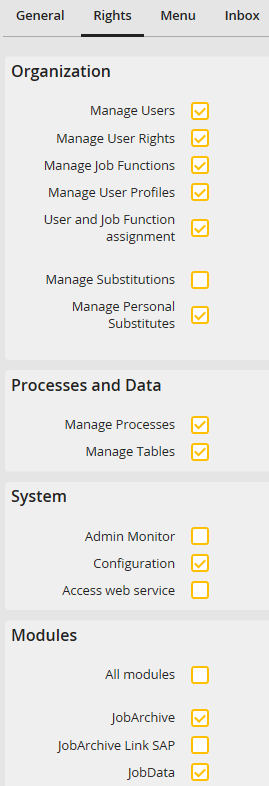
User profile Rights
The Rights tab is divided into several sections.
A description of the individual general rights can be found in chapter Assign password and user rights.
The right Manage user and Job Function rights is only available on profile level. This right is necessary to assign Job Functions to users and assign Job Functions in JobSelect, JobArchive, JobData, JobMail Connect and JobExplorer.
In the Modules tab the rights for the display and configuration of licensed JobRouter modules can be managed. A module is only visible in Configure, if the respective module right has been assigned to this user profile. If the right All Modules is selected, the user has access to all licensed JobRouter modules.
Exceptions are the menu items JobArchive > Manage Data Storage, JobStart > Configure JobStart und JobSync > Configure JobSync. The access to these menu items requires the Configuration right.
