Use this configuration tool to configure the LDAP objects or groups from which you wish to import users into JobRouter. In the configuration tool overview click on Configure User Import in the LDAP/Active Directory Configuration to display an overview of all LDAP groups configured for synchronization. Multiple user import tasks can be created for each directory service.
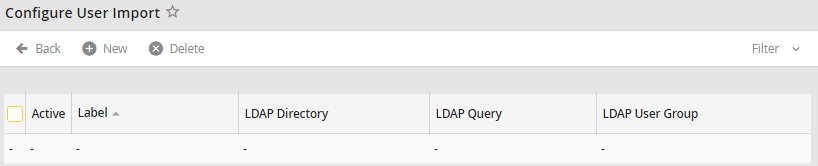
User Import Overview
The Label column shows the name of the LDAP query, LDAP Path displays the nodes under which both the synchronized groups and the users belonging to these groups are to be found, LDAP Query refers to where in the structure the nodes are to be found, and LDAP User Group shows the groups whose users are to be synchronized.
Please note: If a group contains other groups, users in these "sub-groups" will also be synchronized. If no group is specified, then all users under the path given in the LDAP query will be synchronized.
A check in the Active column indicates that synchronization will take place for that line.
