By means of the user management you can create, edit and delete users in the system. Usernames, like e.g. last name, first name, e-mail address and department can only be changed via the user management. The user cannot make this settings himself/herself.
User overview
In the JobRouter menu, go to Admin Tools then select Manage Users and you will see an overview of all previously established users.
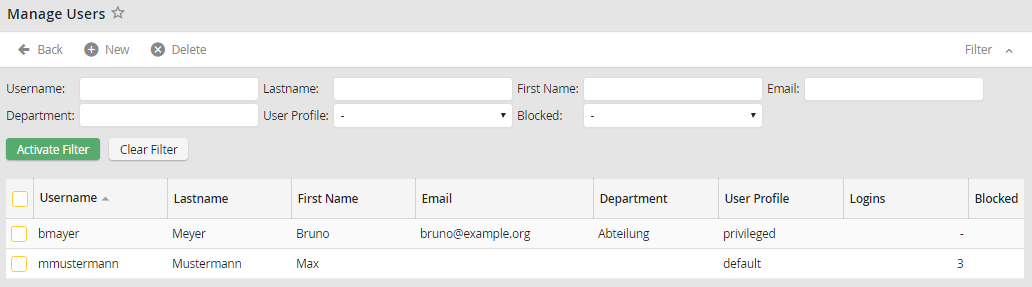
Manage Users
The following properties are displayed.
User Properties |
Definition |
|---|---|
Username |
The user's username used to log in to the system |
Last name |
The user's last name |
First name |
The user's first name |
The user's e-mail address |
|
Department |
The user's department |
User Profile |
Label of the user profile assigned to the user. |
Logins |
The user's login history |
Blocked |
If a user account is locked, it is shown here. |
