Create and edit data storage
A new data storage can be created by clicking on New in the action bar of the Manage Storage mask. If you want to edit an already existing storage, click on its label. In both cases, you will see the Edit Storage mask.
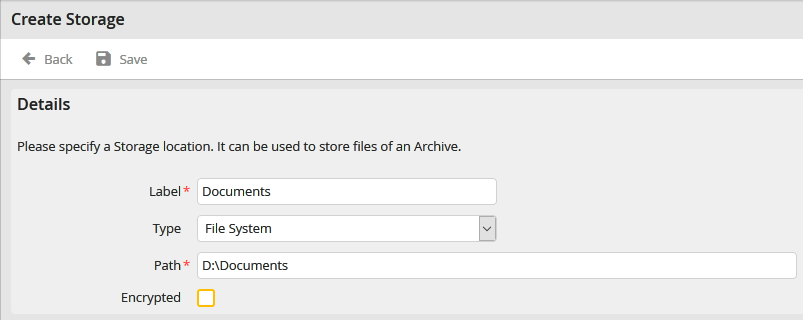
You may configure the following settings.
Details |
Definition |
|---|---|
Label |
Enter a label for the data storage here. |
Type |
Select the type of the data storage adapter. The following types are available: •File system (Storage of the files in the file system) •FAST LTA Silent Cube (Storage of the files in a Silent Cube of the company FAST LTA) |
Path |
Enter the storage path for the files (e.g. D:\Documents). When using a Silent Cube, enter the path on the Silent Cube |
Encrypted |
Here you can select whether the stored files should be encrypted.
Refer to the Tech Doc manual for more information. |
Click Apply in the action bar to save your settings.
Delete a data storage
A data storage can be deleted by selecting the checkbox in front of it in the Manage Storage mask. Confirm the security question by clicking the Delete button. The data storage will be deleted.
