You can set default texts for your e-mails in JobRouter under e-mail Messages in the configuration tools. They will be used by default for the appropriate action.
Editing e-mail notification templates
Click on e-mail Messages in the configuration tools of the JobRouter settings to see a list of e-mail templates for various actions. The message text is pre-defined during installation.
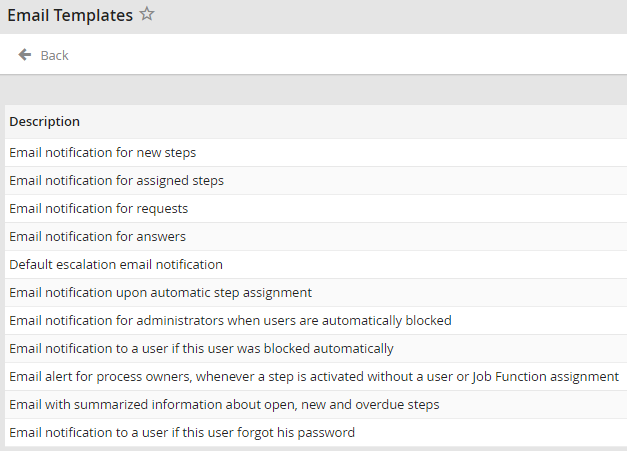
Email notification templates
To edit a template, click on its description.
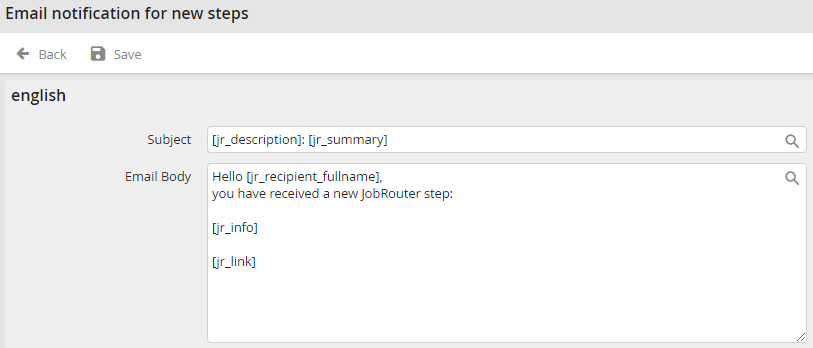
Editing an email template
If your system is set up for multi-lingual support, the window will display a text field for every language configured.
Enter a short description or name for your e-mail in the Subject field. Enter the message for your e-mail in the e-mail Body field. You may access JobRouter system fields by clicking the  symbol.
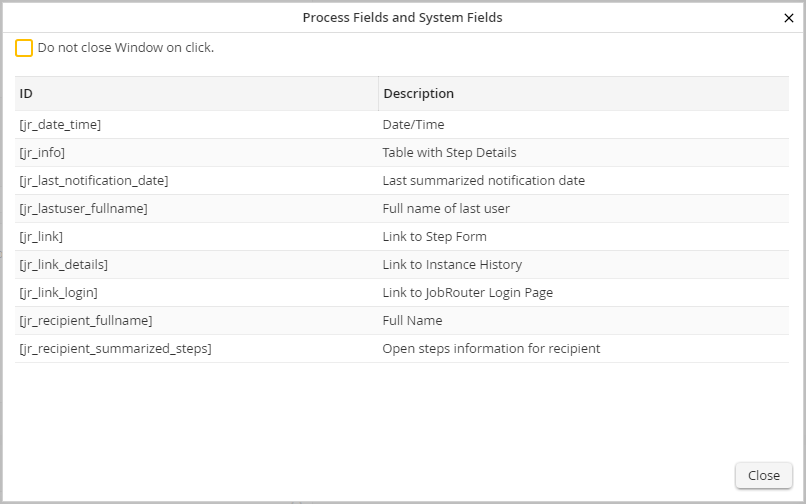
Process and system fields
To insert your message, click on a field. Click Save to store your entry. You will be automatically redirected to the list of e-mail templates.
