Click the Inbox tab to define the process inbox columns for that profile. Users assigned to that profile will see those columns in their process inbox.
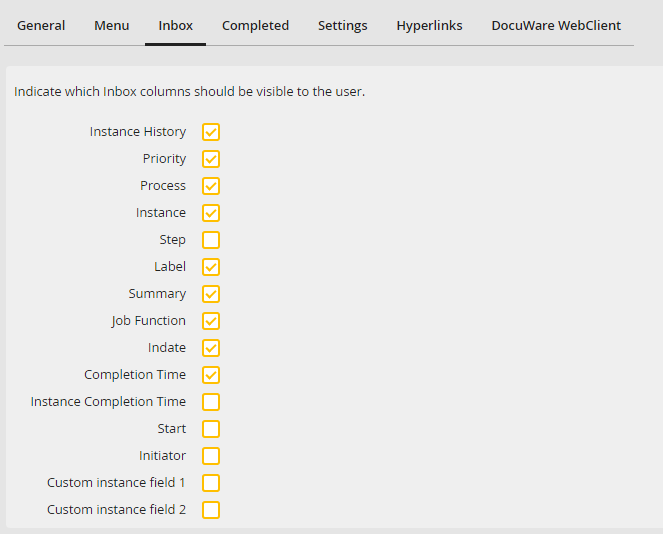
Defining process inbox columns
By checking the corresponding boxes, you may select the following columns.
Column name |
Definition |
|---|---|
Instance History |
The instance history lists in a pop-up window the complete history of the chosen instance |
Priority |
The priority symbol indicates the step priority (see chapter Symbols used in JobRouter) |
Process |
The name of the process |
Instance |
The Instance number |
Step |
The number of the step within the process |
Label |
The label of the current step within the process |
Subject |
A summary of the contents of the process |
Job Function |
The Job Function to which the step was assigned |
Receipt date |
When the step arrived in the inbox. |
Completion Time |
The deadline for the step, if defined |
Instance Completion Time |
The deadline for the instance, if defined |
Start |
The start date of the instance |
Initiator |
The initiator of the instance |
Custom instance field 1 |
This setting activates the cross-process instance field 1 from the general settings |
Custom instance field 2 |
This setting activates the cross-process instance field 2 from the general settings |
