In the Settings tab you can set general archive view settings.
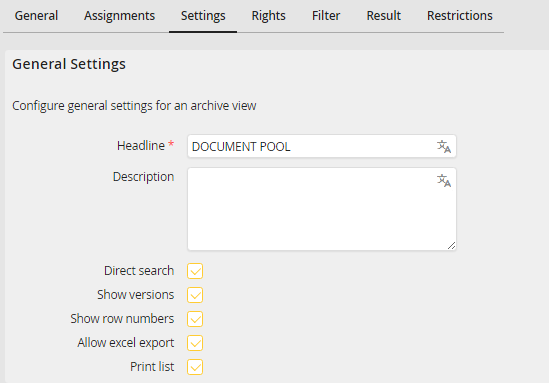
Edit Archive View - Settings tab
You may configure the following settings.
General settings |
Definition |
|---|---|
Headline |
Enter a headline for the archive view here. You can add translations in other languages (only with licensed module JobMultilingual). |
Description |
Enter a description of the Archive View. The description can be translated and will be shown below the title of the archive view (only with licensed module JobMultilingual). |
Direct Search |
Select this checkbox to directly display a result list without the need to click on Activate Filter or Refresh first. |
Show versions |
If this checkbox is selected, users are able to view all versions of a document. |
Show row numbers |
If this checkbox is selected, the first column of the archive view will display the row number. |
Allow excel export |
Select this checkbox to allow the user to export the content of the archive view into an excel list. |
Print list |
Select this checkbox to allow the user to print the content of the archive view. |
