Go to the Settings tab in the Edit Report dialog window to configure general settings used to display reports in the user folder.
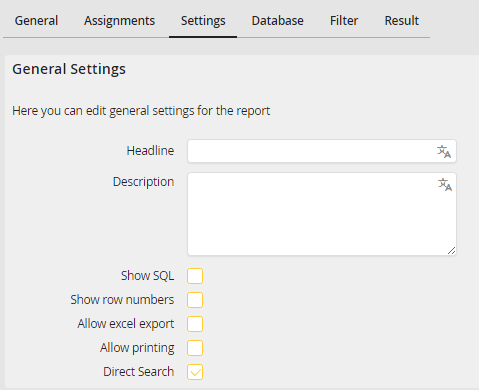
General settings for a report
You may configure the following settings.
General settings |
Definition |
|---|---|
Headline |
Enter the name of the report. Translations can be entered via the edit icon on the right of the field (only with the licensed JobMultilingual module). |
Description |
Add more details about the report. Translations can be entered via the edit icon on the right of the field (only with the licensed JobMultilingual module). |
Show SQL |
If you enable the checkbox, the user will see the SQL command in the console, which you place in the Database tab. |
Show row numbers |
Enable this checkbox to consecutively number the lines in the overview list in the user folder. |
Allow Excel export |
Enable this checkbox to open the Report in an Excel file. |
Allow printing |
Enable this checkbox to allow the user to print the report. |
Direct search |
The complete list of the data sets will be displayed when the user first views the report. |
Click Apply in the action bar to save your settings.
Please note: It is possible to display a report with the additional URL parameter display=popup or display=inline. Thereby, among others, the navigation will be hidden.
