Here you can define a filter for the system and index fields that is to be used when accessing the archive. All users assigned to this archive profile can only access those archive entries passing these limitations.
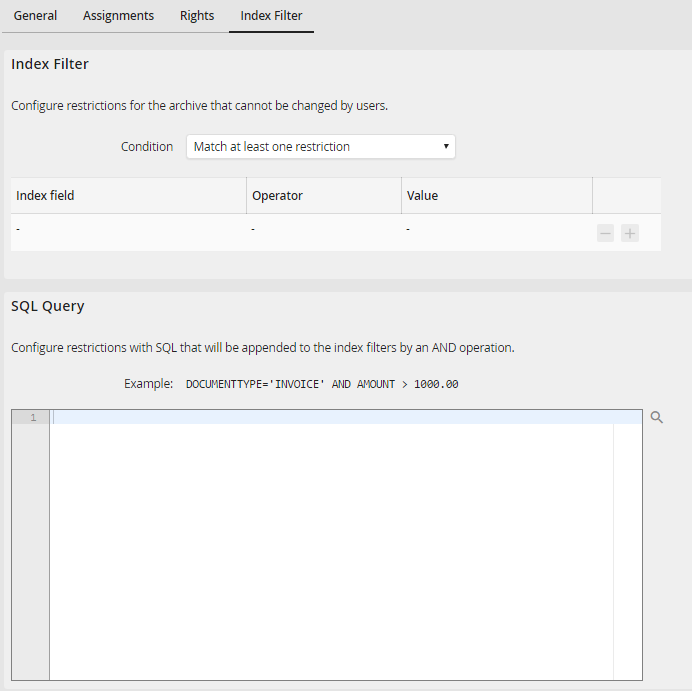
Edit archive profile - Index filter tab
First, select one of the following options in the condition field:
•Match at least one restriction: If one of the restrictions is met, the archive entry can be accessed via the archive profile.
•All restrictions must match: Only if all restrictions have been met an archive entry can be accessed via the archive profile.
In the list of index filters you can enter any number of restrictions of index and system fields. You can add and delete columns using the  and
and  buttons. The following values can be set in a column:
Column |
Definition |
|---|---|
Index field |
Select the index or system field of the archive. |
Operator |
Select the type of restriction from the list of restrictions. |
Value |
Enter the value of the restriction here.
|
 By clicking on the symbol , a popup can be opened to select JobRouter variables and global configurations.
You can enter an own SQL query into the SQL query field that will be attached to the index filters with an AND-connection. You can include JobRouter variables and global configurations via the magnifying-glass symbol.
Resulting SQL query of the archive profile InvoicesOver1000:
SELECT * FROM INVOICES
WHERE invoice amount > 1000 AND ( supplier IN (SELECT supplier FROM suppliers WHERE country = N'germany') )
