Use the configuration tool e-mail Configuration to specify the settings for e-mail delivery. Click on JobMail Configuration under JobMail in the Configuration overview to display the following dialog window.
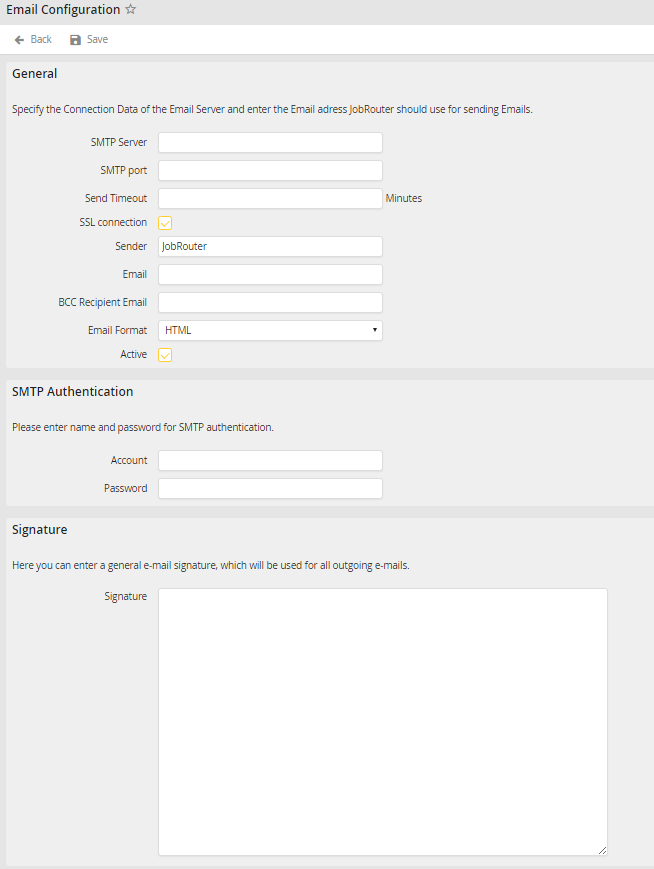
Email configuration
You may configure the following settings:
e-mail Configuration |
Definition |
|---|---|
General |
|
SMTP server |
Enter the address of the SMTP e-mail server. |
SMTP Port |
Enter a port number, if a non-standard port is to be used. |
Send Timeout |
Specify here how long JobMail should try to send an e-mail in case of network problems. If you enter no send timeout, the e-mail will enter the error state after the first failed attempt. |
SSL connection |
Select this checkbox, if the SMTP server requires a secure connection using SSL. |
Sender |
Enter the sender name. |
Provide the e-mail address used to send e-mail messages. |
|
BBC Recipient e-mail |
Provide an e-mail address to receive blind copies of all sent e-mail. |
e-mail format |
Select a format for the sent e-mail. |
Active |
Check the box to activate JobMail. |
SMTP Authentication |
|
Account |
Specify an account name for authenticating access to the SMTP server. |
Password |
Give the password for that account. |
Signature |
|
Signature |
Enter a signature that will be used for all outgoing e-mails. |
Click Save to store your changes. You will be taken back to the Configuration overview.
