The JobStart module makes it easy to automatically monitor directories and e-mail accounts. For example, when a new invoice arrives in a monitored directory, JobStart will automatically initiate an instance of the corresponding process. JobStart runs in the background, regularly monitoring any number of directories for new files. You will configure various JobStart tasks, each of which monitors one directory. When JobStart finds new files, these will be dropped into a temporary directory and arranged into folders. JobStart creates entries in the JRJOBIMPORT and JRJOBIMPORTXML task table and starts a new instance for every task, providing the file as an attachment to the instance.
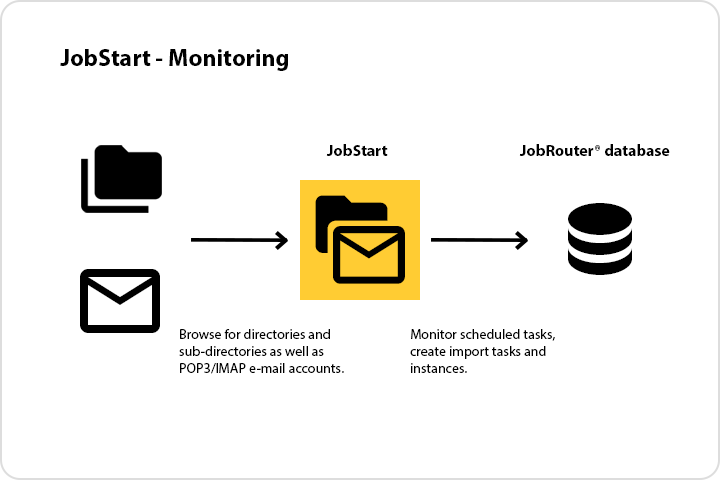
JobStart – Directory Monitoring
e-mail inboxes are monitored in the same way. You can use this feature to start instances via e-mail messages, as explained below.
It is also possible to create timed tasks to start instances using a time table.
