The general settings of the JobStart module can be set in this configuration module. In the JobRouter navigation menu, go to Configuration under Admin Tools. An overview of existing JobRouter modules will be displayed. Click on JobStart configuration to display the following dialog window.
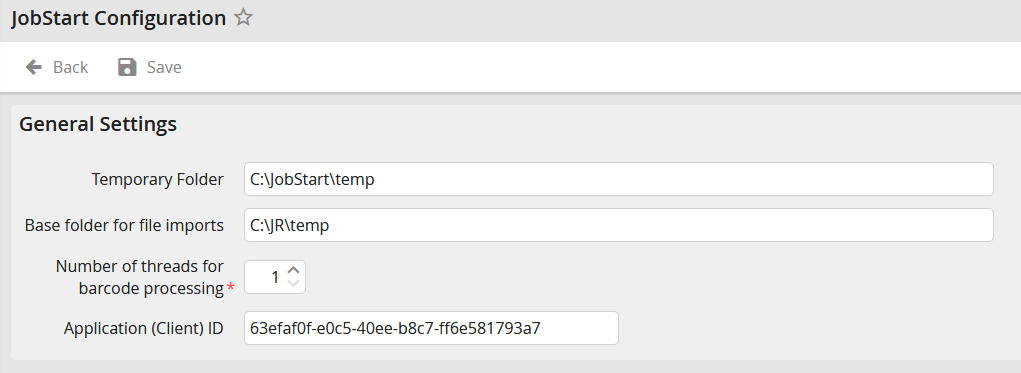
JobStart configuration
Enter the name of a temporary directory to store the files until they can be incorporated into an instance.
Please note: The temporary directory should not be within the base directory.
If you enter a root directory, only its subdirectories can be used for file import tasks. You can enter the root directory for existing import tasks only if all already used directories are within the root directory. The import task directories are saved relative to the root directory. For more information about file import tasks see chapter Create and edit a file import task.
Use the field Number of threads for barcode processing to determine the number processing lines for the barcode separation.
Insert the application (Client) ID of the JobServer in the Application ID (Client ID) field, when using Microsoft 365 with Modern authentication. To learn how to create it, please see the Microsoft Identity platform registration and configuration chapter. Please see the chapter Microsoft Identity platform registration and configuration to learn how to do so.
Please note: The user using the JobServer service has to have write and read rights for the folders named above.
