You set basic preferences for your escalations in JobRouter's JobTimer module. In the JobRouter navigation menu, go to Admin Tools | Configuration. Click Configure JobTimer in the JobRouter module overview, and the following dialog box appears:
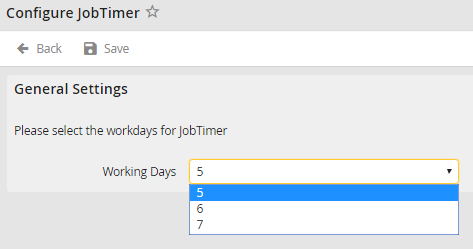
General Settings
Select how many workdays per week are taken into account for the escalation. The escalation actions you determined use that value. Weekends will be automatically omitted then.
To reduce the database load through the JobTimer module, the intervals between the database queries are dependent on the particular time settings for the individual escalation actions. The maximum delay is 5% of the escalation time interval, though it will not exceed the value set in the field Maximum delay in minutes. If an especially time-accurate execution of the escalation actions is needed, this value can be decreased. However, this will lead to a higher database load.
