Activate automatic JobRouter synchronization of users from a directory service by clicking LDAP/Active Directory Configuration in the configuration tools overview. The following dialog window will be displayed.
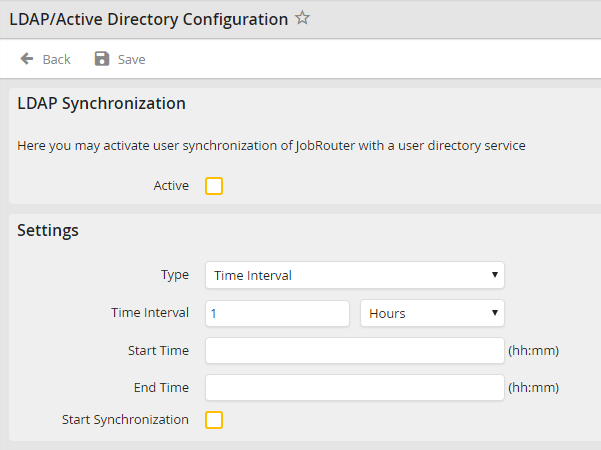
LDAP synchronization
Enable the checkbox next to Active to activate automatic user account synchronization at regular intervals between a directory service and JobRouter.
You may configure the interval between user and Job Function synchronizations in the settings. To do so, select Time or Time Interval in the Type picklist. Select Time Interval to perform the synchronization periodically in a defined interval (e.g. every hour). In this case, you can enter an additional start and end time. The synchronization will only be performed during this time span.
Alternatively, choose Time to have the synchronization take place at a certain time (e.g. daily at 8 p.m.).
If you enable the checkbox Start Synchronization, a synchronization of the user data is carried out immediately.
