The date values can be either displayed in the datetime and timestamp format. Use the  symbol to open a pop-up window for the settings.
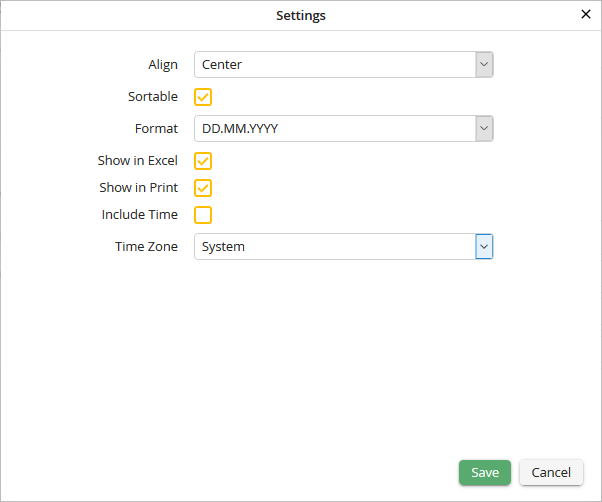
Date field settings
You may configure the following settings.
Date Field Settings |
Definition |
|---|---|
Align |
Determine whether the text displayed within the field appears •left, •right or •centered. |
Sortable |
Check the box to allow the user to sort the column. |
Format |
•Determine the display format for dates. •Choosing User-defined causes the date format defined in the user's profile to be used in the Report. |
Show in Excel |
Specify whether the column may be included in an Excel export. |
Show in Print |
Determine whether the column should be included when the Report is printed. |
Include Time |
Activate this option if you would like the time to be displayed. |
Time zone |
Set the time zone (system or user settings) in which the date should be displayed. |
Click Save to save your settings. The pop-up window will close automatically. You will see the Edit a JobSelect Report dialog window. Click Apply in the action bar to save your settings.
