The transfer log shows you all the DocuWare tasks. These tasks were created by DocuWare rules and are used to communicate with the JobDocuWare service. In the JobRouter navigation menu, go to Admin Tools > Configuration. An overview of the installed JobRouter modules on your system will be displayed. Click on Transfer Log in the DocuWare module to see a list of all DocuWare jobs.
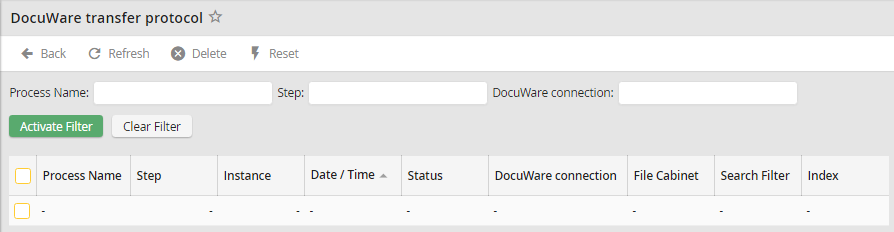
Click Refresh in the action bar to display the most recent data. The list shows to which process, step, and instance the task belongs. The Date / Time column shows when the entry arrived in the list. The fields File Cabinet, Search Filter, and Index tell you which archive, search string, or index string is to be used. The field Status displays OK if a task is completed successfully. If an error occurs during processing, the entry will be highlighted in color, and a corresponding error message will be displayed under Status.
