In the properties of process inboxes, pages and sections, you can translate the Label, 2nd Label and the Info text via process messages.
Furthermore, process messages can be used in E-mail texts of process and step escalations as well as step notifications and labels. Variables are not resolved for process messages used as step labels.
Prerequisite for this is that the option Storage of translations is set to As process messages. See chapter Establishing multiple languages in the process.
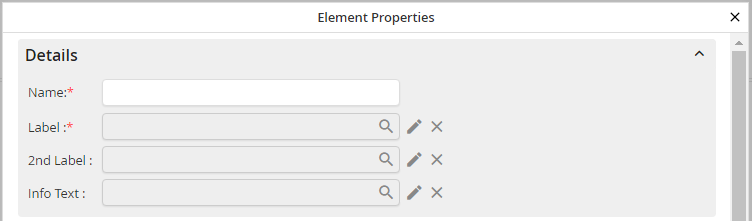
Modify form and subtable elements
Use the magnifier to select a process message or add a new one. You can adapt the selected process message with the pencil symbol. If the process message was not selected yet, a pop-up window will be opened instead for adding a process message. With the x-symbol selected process messages can be removed.
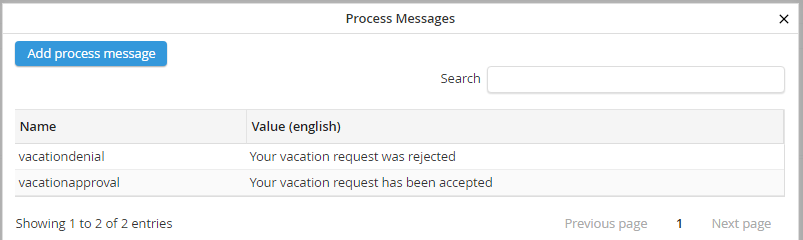
Process messages
A pop-up opens with an overview over all existing process messages in the default language of the process.
You can either select a process message in the table to use it directly in the label field, filter for process messages or add a new process message.
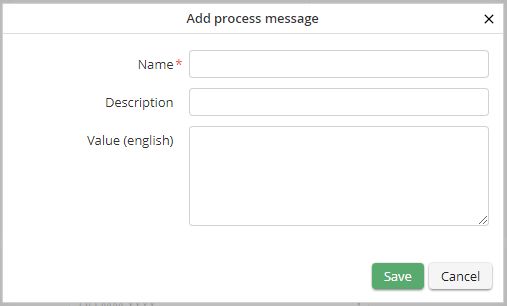
Adding a process message
After confirming with the Save button, the process message will be saved in the default process language and used in the label field.
