Select the Rule group type from the pop-up to create a new rule. You see the input mask of the rule group including the general input fields described in chapter Rule structure. However, no parent rule group can be selected because it is not possible to nest rule groups. The rules within the group are only analyzed if the condition for the rule group is met.
Same as all other rules, rule groups can be found in the corresponding step overview.

Rule group minimized in the rule overview
If at least one rule is assigned to a rule group, the rule group can be expanded. By clicking the  symbol to display all rules assigned to the rule group.
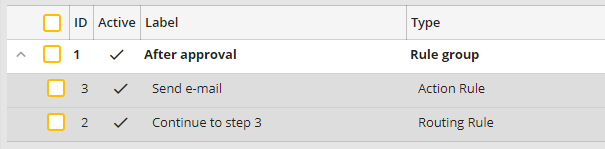
Rule group maximized in the rule overview
This rule group can be minimized again by clicking on the  symbol next to the particular view in the overview.
