In the SQL Settings section, you specify the query type to be used for the linked database. Choose Table to access a whole database table or choose SQL query to use a query of your own design to restrict the search results.
If you choose Table, add the name of the table to be accessed into the Table field. This entire table will be displayed to the user within the report.
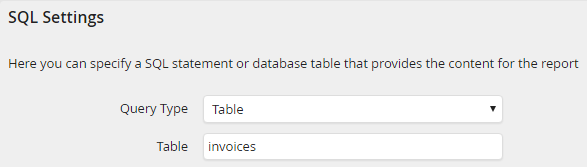
Table access
If you choose SQL Query to display only a subset of the columns of a table in a report, enter the query to execute into the SQL Query field.
Please note: If you want to define a presort for your JobSelect, do not use ORDER BY in the entire SQL Query. Instead you should use the fields Columns for presorting (comma separated) and Position of the presorting.
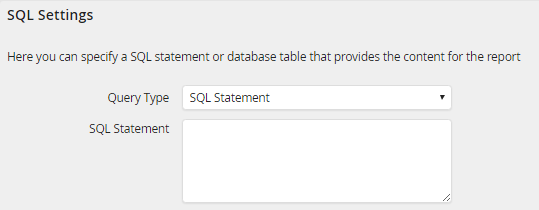
SQL query
You may further restrict the results using the Condition field, specifying e.g. that only the data from one particular client be displayed in the report.

Query condition
If you want to presort the report, you can enter the desired column name including the sorting direction (ASC, DESC) separated by comma in the Columns for presorting field. Furthermore, you can use the Position of the presorting field to select if the presorting is done before or after the user selected sorting.

Presorting and position of the presorting
Use the Limit result count field to limit the amount of data displayed in the report. Enter the number of rows you would like to display.

Limit
You have the possibility to use Placeholder for database and initialization queries of JobSelect.
