The Options tab allows defining advanced settings and behavior of the Explorer integration.
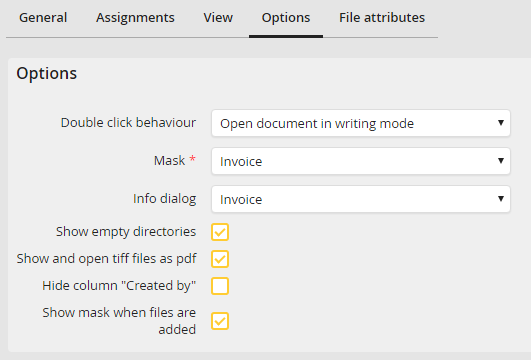
Options tab - Advanced options
The following options are available:
Property |
Explanation |
|---|---|
Double click behavior |
Select what happens if a document is double-clicked: •Open document in read-only mode: The document will be displayed to be read. No editing is possible. •Open document in writing mode: The document will be opened to be edited. |
Mask |
Select the mask used when storing new documents. This mask is used to enter the index data for the document.
Please note: List fields with placeholders are currently not supported. |
Info dialog |
Select an info dialog. The info dialog displays the index data of the selected document and can be opened by right clicking the document. |
Show empty directories |
If this checkbox is activated, documents without a value for the index field of the directory level will be displayed in a *-directory on this level. In the example configuration, if no invoice number is entered for a document, the document will be displayed in the directory Company/*. |
Show and open tiff files as pdf |
Activate this checkbox to convert Tiff files into PDF prior to displaying them to open them in the respective displaying program for PDF files. The original file in the archive is not modified. |
Hide column Created by |
Select this checkbox to hide the Created by column in the Explorer. |
Show mask when files are added |
Select this checkbox to display the selected mask when storing files. Otherwise the file will be directly archived. |
