You may synchronize your Job Function with an external directory service. This incorporates the members of an LDAP group into your current JobRouter Job Function. Manage your user data in the LDAP directory. Synchronization regularly refreshes the user data into JobRouter.
Please note: You must configure the LDAP directory and activate the configuration (see chapters LDAP/Active Directory Configuration und Manage directory).
Click tab Synchronization to open the dialog window.
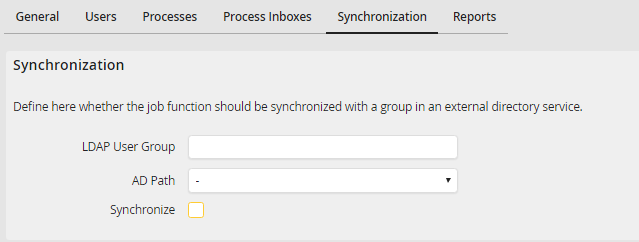
Synchronizing JobFunctions
Enter the desired group of the external directory service into the LDAP User Group field. Select the directory of the group in the AD Path list and activate the Synchronize checkbox. Activate the checkbox Synchronizing. The synchronization is set up for the Job Function. The members of the LDAP group will be transferred into the JobRouter Job Function. Click Save to save your settings. You will be returned to the Job Functions overview.
