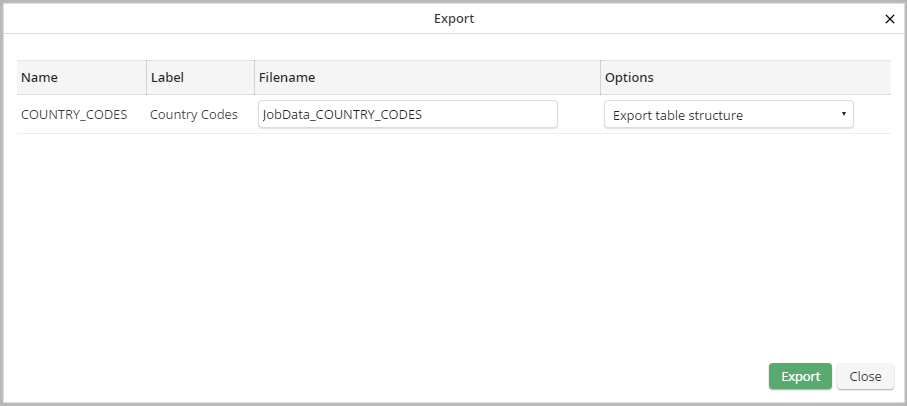
You can export a table in JSON format. The exported data will be saved in the export/jobdata directory of the JobRouter installation directory. To export a table click on the checkbox of the required table in the Manage table mask. Click on the Export button in the action bar. A pop-up window will be displayed containing the export information.
Export table
In Name the name of the table will be displayed. In the column Label other information concerning the table may be found. In File name you can determine the name of the export file. In options you can chose if you want to export only the structure of the table or also the content.
Please note: When exporting a very large table by using the option Export structure and data the export process can become very time-consuming. Additionally, it is possible that more memory is necessary for this action than it is available for the PHP execution. To handle this issue increase the memory in php.ini in the option memory_limit (e.g. to 2048M). When using an SQL server 2008, the value in the option sqlsrv.ClientBufferMAxKBSize must be increased additionally (e.g. to 100480).
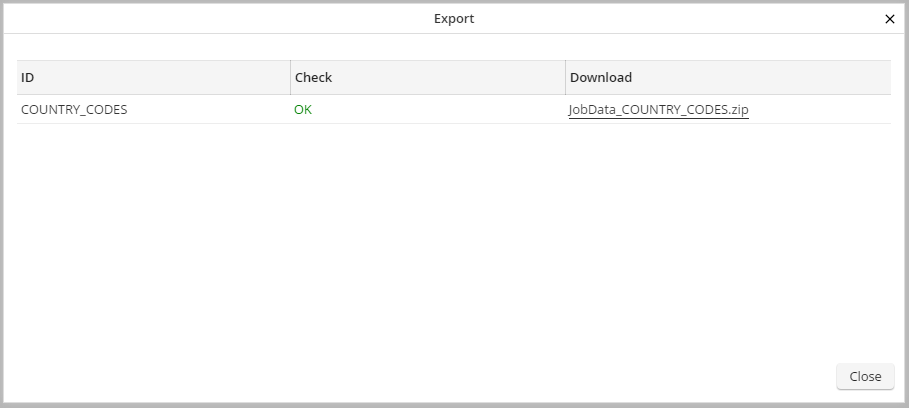
By clicking on Exportthe table will be exported. Another pop-up window will be displayed containing the results of the export.
Export result
The name of the table is used as ID. The column Verification shows whether the export was successful or not. By clicking on Download in the indicated link you can download the ZIP file. By clicking on Close the pop-up window will be closed. The Manage table mask will be displayed.
