By using the module JobData users can define and create database tables and maintain their data via the JobRouter interface without explicit access to the database. This chapter describes the definition of database tables.
Please note: You can use this function only if you have a licence for the additional JobData module. Depending on whether you manage rights at user level or user profile level, the user requires the Manage Tables right to manage the tables.
In the navigation menu in Admin Tools you can find the menu item Manage tables. When clicking on this menu item you will get an overview of all tables managed by JobData.
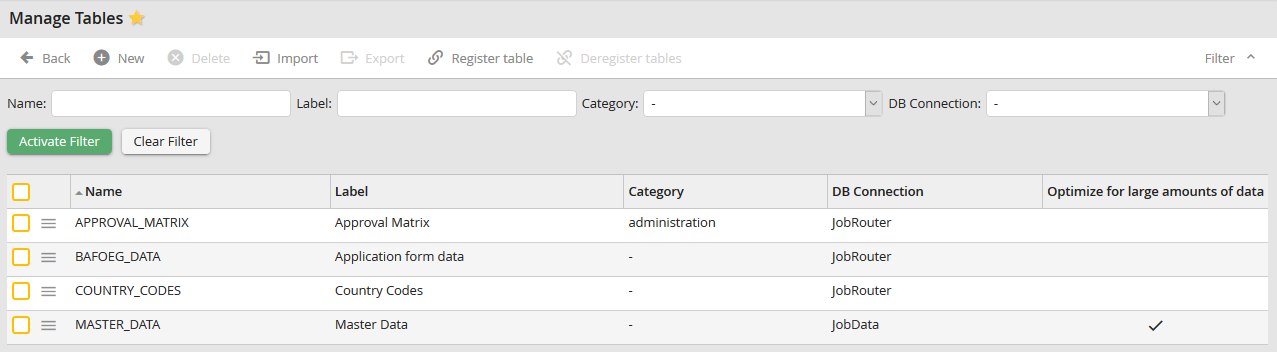
Manage tables
A context menu symbol is displayed in the first column  . By clicking on this symbol the context menu of the according table can be opened. In this context menu you will find a reference to the functions Edit table, Edit profile and Manage data. This last function is only available if you have, via at least one active JobData profile, one or several rights.
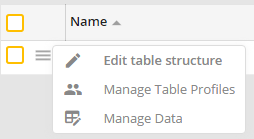
Manage tables: Context menu
Table and column names
The following conventions exist in JobData for naming tables and columns:
Table and column names must not begin with JR, must have a maximum length of 20 characters, must only contain alphanumeric characters and must not be identical to a reserved word such as STATUS or COMMENT.
